
Microsoft Dynamics 365 Business Central helps nonprofit finance teams by simplifying fund and grant tracking, enforcing budget controls automatically, removing manual data entry, producing reporting that funders and boards can trust, and scaling alongside the organization without forcing a system replacement. Together, these five capabilities free finance staff from repetitive administrative work so they can spend more time supporting the mission.
Why Nonprofit Finance Looks Different From Corporate Finance
An arts organization tracks ticket revenue and donor gifts. A human services agency manages Medicaid billing and program budgets. A housing agency tracks loans and long-term grants. The missions vary, but the underlying finance challenges look the same: tracking restricted funds, reporting to funders, staying audit-ready, and doing all of it with limited staff and time. Here are five ways Business Central meets those challenges, no matter what the mission looks like.
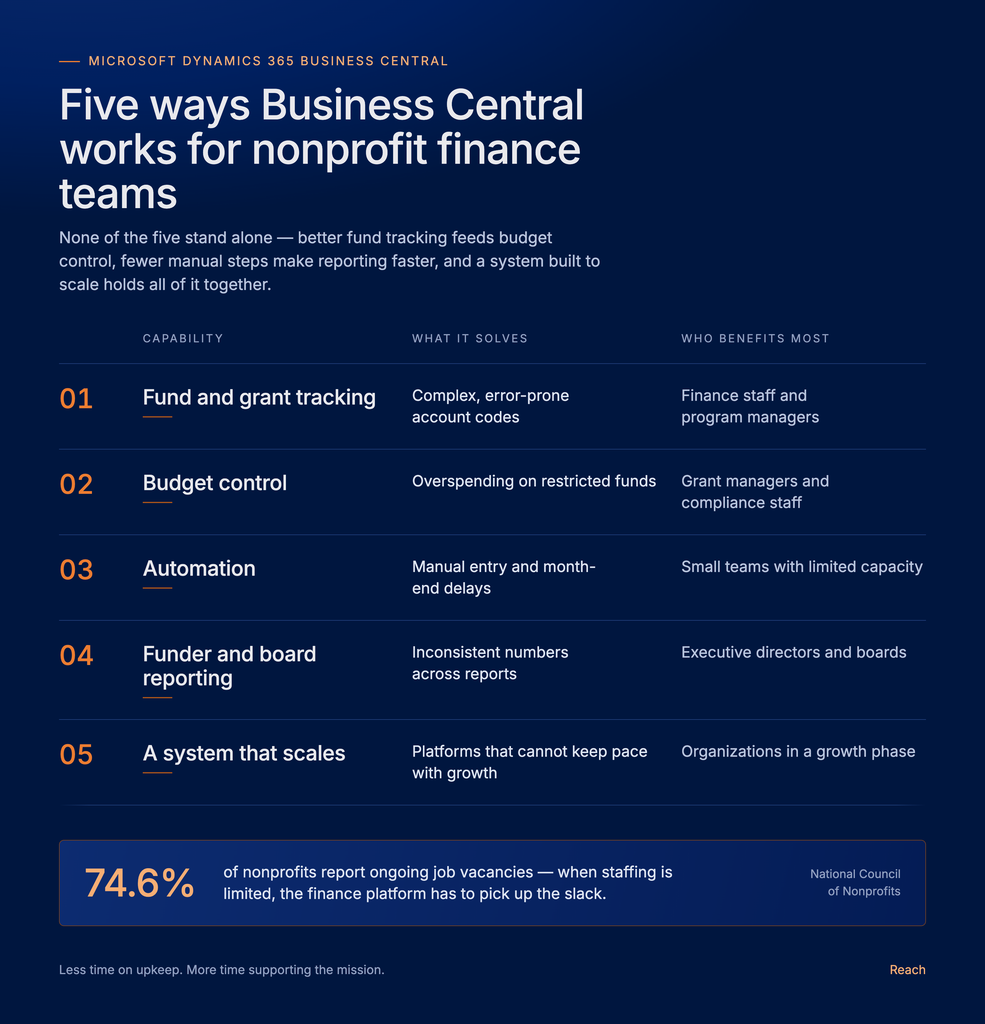
Every nonprofit finance team is stretched thin, and the numbers back this up. According to the National Council of Nonprofits, 74.6 percent of nonprofits reported ongoing job vacancies, and more than half said their vacancy rates were worse than before the pandemic. At the same time, Gartner reports that cloud enterprise resource planning is now one of the top three technologies finance leaders are directing future investment toward, alongside generative AI and machine learning, as organizations look for ways to do more with fewer people. When staffing is limited, the finance platform itself has to pick up the slack, and that is exactly the role Business Central is built to play.
1. Fund and Grant Tracking Without the Complexity
Traditional systems often force nonprofits to build long, complicated account codes just to track a single grant or program. Over time, this leads to charts of accounts with hundreds of entries that only a few people fully understand, and mistakes become more likely as new grants are added.
Business Central takes a different approach with Dimensions, which act like flexible tags attached to transactions. A single expense can be tagged by program, funding source, and grant all at once. That means a finance team can build a report for a single grant, a full program, or the whole organization using the same underlying data, without maintaining separate spreadsheets or duplicate account structures.
This approach also speeds up onboarding new funding. When a new grant comes in, the team can add a new dimension value in minutes rather than redesigning the entire chart of accounts. For organizations managing dozens of grants at once, this difference alone can save significant time each month.
For organizations still relying on spreadsheets or an outgrown legacy system, this is often the clearest sign it is time for a Rapid Business Central implementation, so fund and grant structures get modeled correctly from day one.
2. Budget Control That Works in the Background
Grants and government funding almost always come with strict budget rules, and going over budget on a restricted grant can create real problems with a funder. Business Central lets finance teams set budgets by program, department, or grant, and compare actual spending against those budgets as transactions happen, rather than waiting until month-end to find out there is a problem.
Teams can also set up alerts so that if spending on a grant gets close to its limit, the right people are notified before it becomes an issue. Program managers can see their own budget status without needing to ask finance for a report, which reduces back-and-forth and gives everyone more ownership over their piece of the budget. This kind of early warning is difficult to build into older systems without bolting on extra tools.
3. Fewer Manual Steps, Fewer Errors
Manual data entry is one of the biggest drains on a nonprofit finance team, and one of the most common sources of mistakes. Every time a number is typed in by hand, there is a chance for a typo, a missed entry, or a duplicate record. Business Central automates many of these steps:
- Expense reports and invoices move through built-in approval workflows instead of paper forms or email threads
- Bank feeds connect directly, reducing manual reconciliation and speeding up the monthly close
- Payroll and other outside systems feed data into the ledger automatically instead of being keyed in twice
- Recurring journal entries and allocations run automatically each period based on rules the team sets up once
The result is less time spent keying in numbers and more time for the actual finance work: forecasting, analysis, and support for program staff. It also means the finance team can close the books faster each month. Given how many nonprofits are already understaffed, this kind of automation is not a nice-to-have. It is often what makes it possible for a lean finance team to keep up, and it is a common focus area for Reach’s project assessments and audits, which look at where manual steps are quietly costing the most staff time.
4. Reporting That Funders and Boards Can Rely On
Funders expect clear, accurate reporting, often broken down by grant or program. Boards expect the same clarity when reviewing overall performance, and both groups tend to lose confidence quickly if numbers seem inconsistent from one report to the next.
Because Business Central keeps all financial data in one connected system, reports pull directly from real activity rather than a patchwork of exports from different tools. A report generated for a funder and a report generated for the board draw from the exact same numbers, even if they are formatted differently.
Paired with Power BI, finance teams can build dashboards that show program managers and leadership the same information at the same time, cutting down on the back and forth that often happens when everyone is working from a different version of the truth. Instead of finance spending days building custom reports for each funder, much of this work can be templated and reused, freeing up time for higher-value analysis.
5. A System That Grows With You
Many nonprofits eventually outgrow their finance system, not because it stops working, but because the organization has changed. New programs, new funding sources, more staff, or new compliance requirements can all put pressure on a system that was not built to scale.
Because Business Central is cloud-based, it grows with the organization instead of requiring a full replacement down the road. Updates and new features roll out automatically, so the team does not need to plan for a disruptive upgrade every few years. The platform can also be extended with nonprofit-specific add-ons for things like fund accounting, grant management, or Medicaid billing integration as needs evolve, so leadership is not stuck waiting on a major system change just to add one new capability.
This flexibility matters most during periods of growth, such as after winning a large new grant or expanding into a new service area. It is also where a managed services relationship pays off, since ongoing support and monitoring catch small issues before they turn into a rescue and recovery project.
How the Five Pieces Work Together
| Capability | What it solves | Who benefits most |
|---|---|---|
| Fund and grant tracking | Complex, error-prone account codes | Finance staff and program managers |
| Budget control | Overspending on restricted funds | Grant managers and compliance staff |
| Automation | Manual entry and month-end delays | Small finance teams with limited capacity |
| Funder and board reporting | Inconsistent numbers across reports | Executive directors and boards |
| Scalability | Systems that cannot keep pace with growth | Organizations in a growth phase |
None of these five areas exist on their own. Better fund tracking supports better budget control. Fewer manual steps make reporting faster and more reliable. A system built to scale means all of these gains hold up as the organization grows rather than fading after a year or two. Together, they add up to a finance function that spends less time on upkeep and more time supporting the mission.
Where to Start
Nonprofits do not need to solve every challenge at once. Most start by identifying the one or two areas causing the most pain today, often grant reporting, budget tracking, or manual processes, and build a plan from there. A clear starting point makes the rest of the project far easier to scope and prioritize.
Reach works with nonprofits to map out what a Business Central implementation could look like for their specific programs and funding structure, whether that means a Rapid Business Central deployment for a leaner organization, an assessment of an existing system, or AI enablement to support the finance team going forward.
Ready to Give Your Finance Team a System Built for the Mission
Grant reporting, budget tracking, and manual processes do not have to compete with your team’s time for the mission itself. Reach helps nonprofits implement, support, and get more value from Microsoft Business Central, from a first assessment through ongoing managed services. If your organization is ready to explore what a more connected finance system could do for your programs and funders, reach out to Reach and let us help you find the approach that makes sense.

Stop letting outdated systems hold your finance team back.
Reach can help you go live fast with Rapid Business Central Implementation.
Frequently Asked Questions
For many nonprofits, no separate system is needed. Business Central’s Dimensions feature handles fund and grant tracking natively, and it can also be extended with nonprofit specific add ons where more specialized fund accounting is required.
Timelines vary by organization size and complexity, but a Rapid Business Central deployment is designed to get smaller and mid sized nonprofits live faster than a traditional, fully custom implementation.
Yes. Dimensions can tag a single transaction by program, funding source, and grant at the same time, which allows a finance team to report on any combination without duplicating account structures.
This is a common situation for nonprofits that have outgrown an older platform. Reach offers project assessments and audits, as well as ERP rescue and recovery services, to help organizations stabilize their finance system before or instead of a full replacement.
Because Business Central is cloud based, nonprofits typically avoid the large upfront hardware and licensing costs associated with older on premise systems, and ongoing updates are included rather than requiring a separate upgrade project.