
Turning Power Platform Custom APIs into no-code MCP tools — and dropping them straight into Copilot Studio.
When people talk about agents and the Model Context Protocol, the conversation usually drifts toward building a server from scratch, a fresh .NET project, somewhere to host it, and an afternoon spent wiring up authentication. But tucked away in the Agent 365 documentation is something far more interesting: a way to build your own MCP servers with no code at all, composed entirely from APIs and connectors you already have in Power Platform. The first time I watched an agent spin up an MCP server for me on request, it clicked. The foundations for headless, agent-first business applications have been sitting in Power Platform the whole time. So, this is a story of no-code MCP servers inside Power Platform.
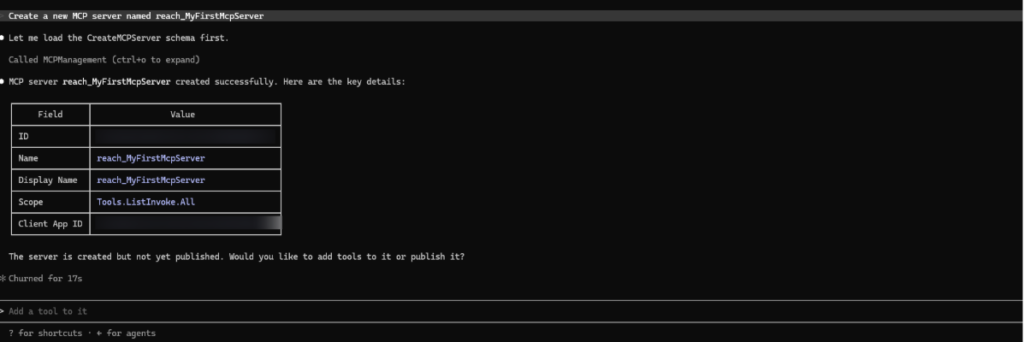
The key is the MCP Management Server, and the clever bit is that it is itself an MCP server whose entire job is to create other MCP servers. You connect to it once, and from then on, you simply ask it, in plain language, to create a server and bolt tools onto it. No scaffolding, no deployment pipeline, no hosting bill. The server definitions live as records in Dataverse, and the platform takes care of the rest.
A treasure trove hiding in plain sight
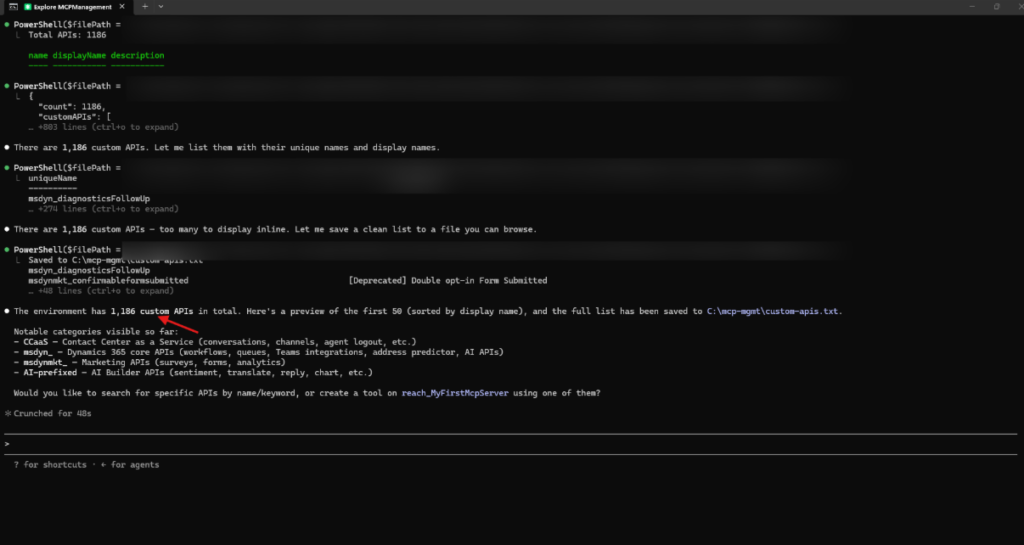
Here is the part that genuinely surprised me. When I asked the Management Server to list the Custom APIs available in a standard Dataverse environment, it returned 1,186 of them. Not obscure internal plumbing, many are immediately useful, and some are downright fun. A handful of favourites:
- AI Emoji – turn any sentence into emoji
- AI Palette – generate a colour palette from a description
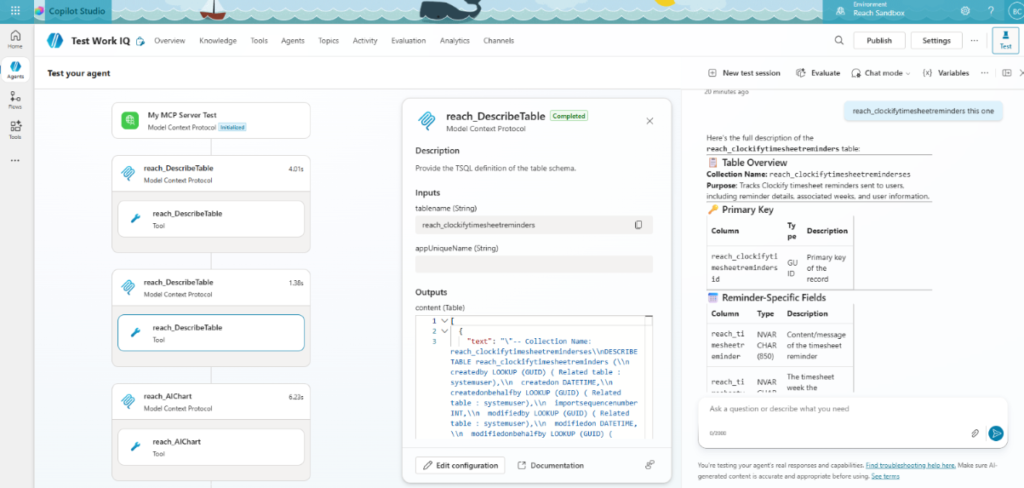
- AI Chart – describe a visualisation and get a chart back
- DescribeTable – get a plain-English explanation of any Dataverse table
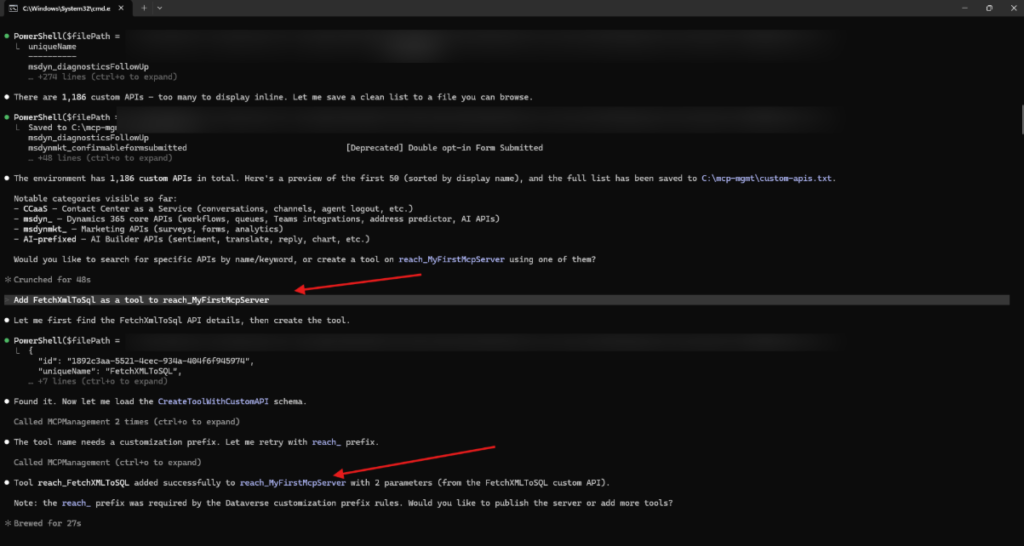
- FetchXMLToSQL + McpExecuteSqlQuery – convert a query and run it against the TDS endpoint
- GenerateInstantPlugin – generate a Power Automate plugin on demand.
Each of these becomes an agent tool with a single instruction. You are not building capability, you are composing it.
Composing your own server, no code required
The workflow is almost suspiciously simple. Ask the Management Server to create a server, ask it to list the Custom APIs, then ask it to attach the ones you want as tools. Within a couple of minutes, you have a bespoke MCP server tailored to a scenario, a data-exploration server, a content-generation server, and a field-service server assembled from building blocks that already exist in your tenant. And because the same approach reaches 1,500+ connectors, Microsoft Graph, and any REST endpoint, the ceiling is effectively the entire Microsoft ecosystem.
Not a developer in an IDE, but a business user in Copilot, composing enterprise capability through conversation.
The easy part: Copilot Studio integration
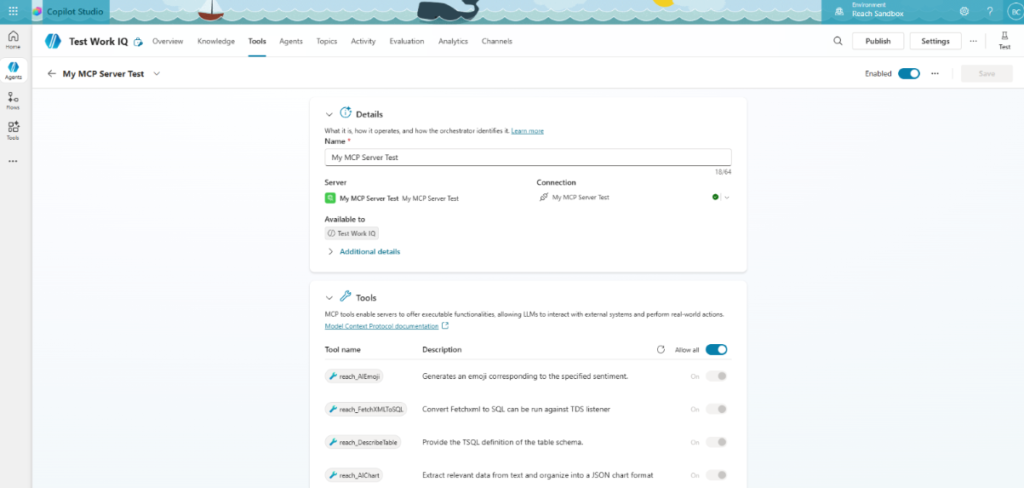
What turns this from a curiosity into something useful is how cleanly it drops into Copilot Studio. Adding a custom MCP server to an agent is a first-class action: choose Add a tool, pick Model Context Protocol, point it at your server, and authenticate. From that moment, the agent can reason over and invoke every tool on the server. Add a few conversation starters, publish the agent to Microsoft 365 Copilot, and you have a polished, chat-driven front end, the kind where a user simply types “create a new MCP server”, and the agent does the rest.
The unlimited possibilities
Step back, and the implications are big. Every Custom API in Dataverse, every connector, every Graph call becomes a potential agent tool, governed, observable, and available to any agent in the tenant. Need a niche capability for one scenario? Compose a server for it in minutes. Want to expose a line-of-business process to your agents? It is an API away. This is what headless BizApps actually look like: the business logic was always there; agents are simply the new way to reach it.
We are early, and a few edges still need smoothing. But the direction is unmistakable. The distance between “I have an idea for an agent capability” and “my agent can do it” has collapsed into a short conversation. Enter the agents.
Watch the full DEMO:
Ready to Build Your Own MCP Server?
Want to put this to work in your own tenant? Our Power Platform implementation team can help you map your existing Custom APIs and connectors into a tailored MCP server, get it integrated with Copilot Studio, and turn it into a production-ready agent capability—get in touch to scope your first build.

“Stop composing manually. Start scaling.
Reach can help you turn your Power Platform APIs into governed MCP tools your agents can actually use.
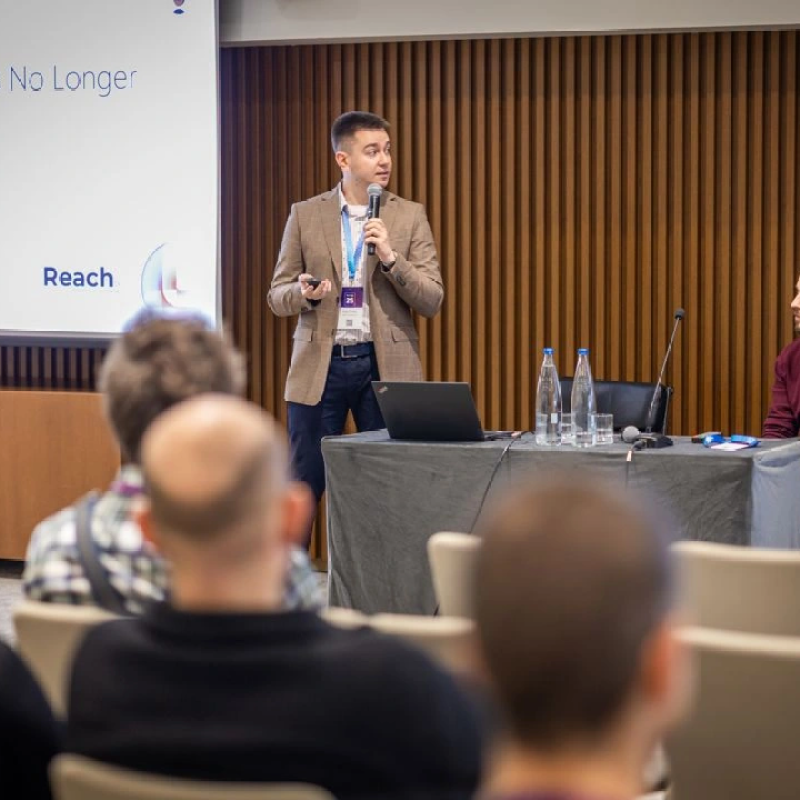
Senior Technical Consultant at Reach
Bojan is a Senior Technical Consultant and certified Microsoft Solution Architect at Reach, where he designs and implements flexible, high-value solutions using Microsoft Power Platform and Dynamics 365. Drawing on broad experience with tools like Azure Logic Apps, Azure Functions, and Power Automate, he combines deep platform knowledge with creativity to solve complex problems for clients.