
Microsoft just built a new Copilot Studio, and it’s generally available worldwide for production agents, not a preview, not a toggle behind a feature flag you must beg an admin for. If you build agents for a living, this is the kind of release that quietly changes how you work for the next two years. So, let’s skip the launch day adjectives and talk about what actually moved.
The headline isn’t the UI – it’s the orchestrator.
Yes, the authoring experience got a facelift; configuration tabs dropped from nine to four, and instructions, knowledge, tools, skills, and model now live on a single Build surface instead of being scattered across the product. That’s nice. Onboarding a new consultant will take an afternoon instead of a week.
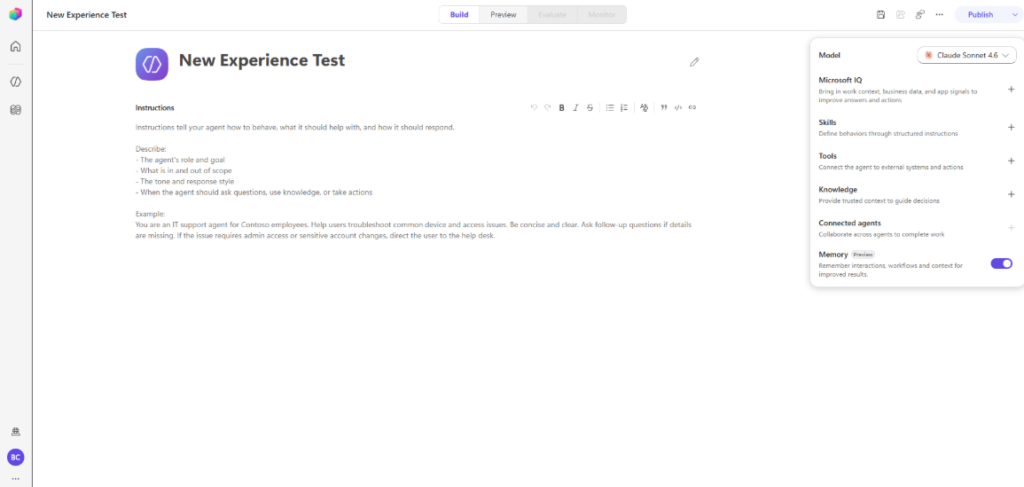
But the real change is underneath. Copilot Studio‘s new agents run on a redesigned orchestration runtime that replaces the classic model entirely. It follows instructions more reliably, supports recursive task execution, chews through large volumes of content, and produces richer file outputs. Microsoft is reporting roughly a 20% lift in evaluation performance alongside about a 50% drop in net token consumption, which, if it holds in real tenants, means your agents get better and cheaper at the same time.
That combination is rare enough that it deserves more attention than any redesigned panel.
The catch: in the new experience, orchestration isn’t configurable. Everybody gets the enhanced model, full stop. For most of us, that’s a relief. If you were one of the rare teams hand-tuning classic orchestration behavior, that lever is gone.
Skills are the sleeper feature
Makers can now write reusable instructions as Skills in plain markdown, loaded on demand for specific tasks. The detail that should make every multi-agent builder sit up: you can import skills you already have, including existing GitHub Copilot and Claude Code skills.
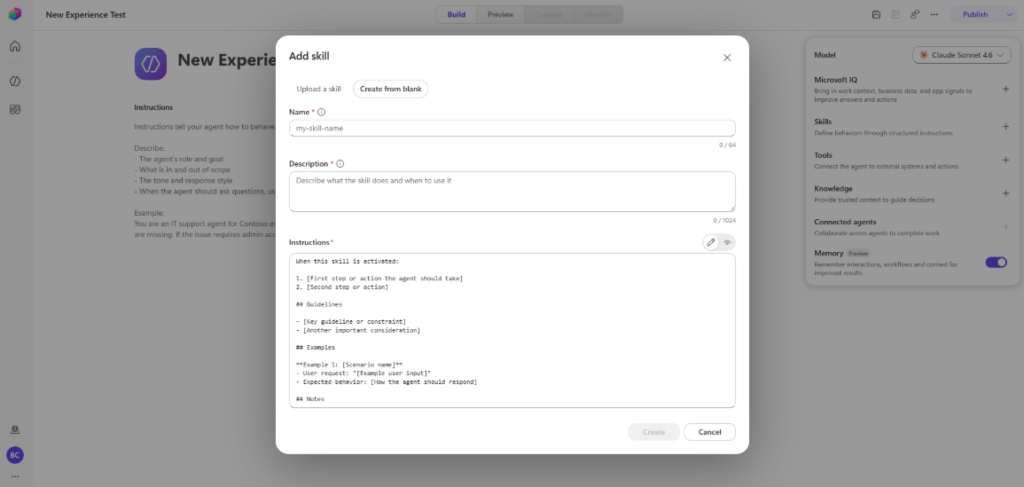
That’s a genuine portability story. The work you’ve put into shaping agent behavior in one ecosystem doesn’t have to be rewritten to live inside Copilot Studio. For anyone running agents across Copilot Studio, Claude Code, and Copilot, which, increasingly, is all of us, this lowers the cost of standardizing on a single skill library instead of maintaining three dialects of the same instructions.
Workflows grow up
The new workflow designer is a single visual workspace for building agentic automations, with node-by-node testing and real versioning. The piece that matters architecturally is agent nodes: you can call an existing agent directly into a workflow. That lets you mix deterministic, structured steps with agentic reasoning in one process; the deterministic parts stay predictable, the agent parts handle the judgment. It’s the pattern most of us have been faking by stitching Power Automate to Copilot Studio with tape. Now it’s first-class.
Add multi-agent collaboration and open agent-to-agent protocols, and the platform is clearly aiming at orchestrating end-to-end processes rather than bounded, single-shot tasks. Computer-using agents (CUA) are in the mix too, driving websites and desktop apps through the UI for systems that never shipped an API.
Governance kept pace, which is the surprising part
Capability releases usually outrun the controls. This one didn’t. You get clearer agent lifecycle visibility, whether an agent is generating, ready to test, published, or stuck, plus preview Entra agent identities for access control, and set-level grading with custom metrics on the Evaluate tab. The lifecycle is the honest version of agent development: Create, Build, Test, Publish, Monitor. The Monitor tab showing recent tasks and which files an agent touched is the kind of thing that makes a security review go smoothly instead of sideways.
The edge case to flag before you start
Here’s the one I’d put in bold in any kickoff deck: agents do not move between the classic and new experiences, in either direction. You pick the experience at creation time, and that’s a one-way door. An agent built in classic can’t be lifted into the new experience, and vice versa.
So, before you start anything new, decide deliberately. For greenfield work, default to the new experience – that’s where the orchestrator, skills, and investment are going. For existing classic agents carrying real production load, plan a rebuild rather than expecting a migration button, because there isn’t one. Budget for it now while it’s a line item, not later when it’s a surprise.
Where to start
If you own a Copilot Studio practice, three concrete moves.
First, rebuild one representative agent in the new experience and measure the token and quality deltas against your classic baseline. Don’t take the 20%/50% on faith; verify it on your data.
Second, consolidate your scattered prompt-and-instruction sprawl into markdown Skills you can reuse across Copilot Studio and Claude Code.
Third, inventory your classic agents and tag each one “rebuild,” “retire,” or “leave it”, because the clock on classic is now running, even if Microsoft hasn’t told us exactly how fast.
The platform finally matches the way we’ve actually been building. That’s worth more than a redesigned tab.
Next steps
Rolling this out isn’t just a technical migration — it’s a decision about how your organization builds agents for the next few years. If you want a partner to rebuild your first agent in the new experience, validate the token and quality gains on your own data, and get your classic agents triaged before the clock runs out,

Stop rebuilding agents by hand. Start shipping them.
Reach can help you migrate to Copilot Studio’s new orchestrator – governed, tested, and production-ready from day one.
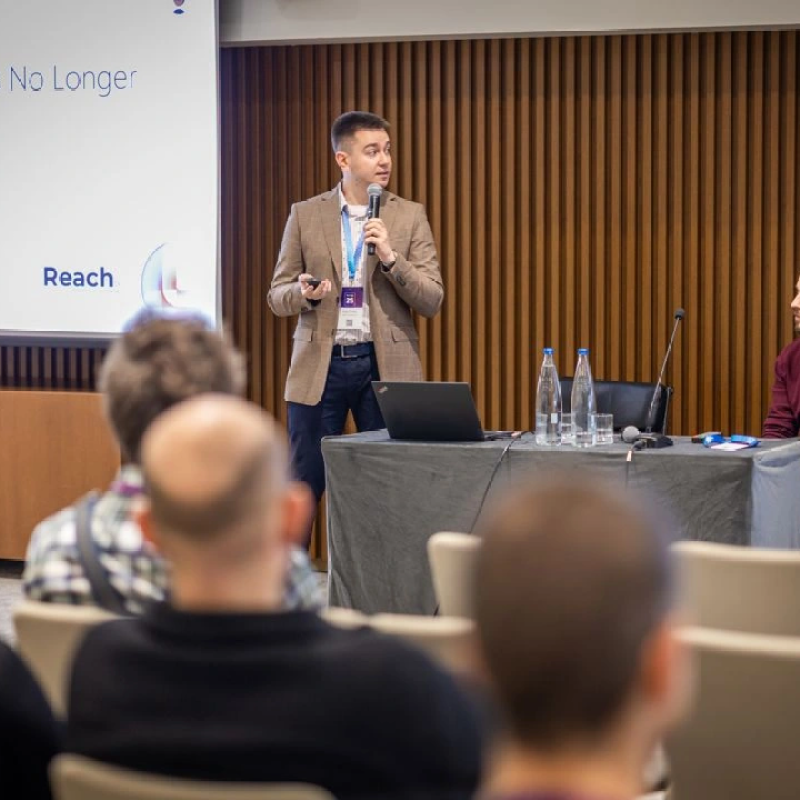
Senior Technical Consultant at Reach
Bojan is a Senior Technical Consultant and certified Microsoft Solution Architect at Reach, where he designs and implements flexible, high-value solutions using Microsoft Power Platform and Dynamics 365. Drawing on broad experience with tools like Azure Logic Apps, Azure Functions, and Power Automate, he combines deep platform knowledge with creativity to solve complex problems for clients.