
Organizations lose an average of 9% of annual revenue to poor contract management, according to the World Commerce and Contracting (WorldCC) Association. For a $500M business, that’s $45 million quietly walking out the door through missed renewals, unenforceable terms, maverick spending, and obligations no one is tracking.
If your organization runs Microsoft Dynamics 365, you already have the data, the workflows, and the relationships. The question is whether your contract management approach is connected to that infrastructure, or still living in a SharePoint folder someone organized three years ago.
This guide cuts through vendor marketing to give CFOs, COOs, legal ops leaders, and IT decision-makers a clear, honest view of every practical CLM option available within the Dynamics 365 ecosystem in 2026.
What CLM Actually Means: The 9 Stages
Contract lifecycle management is not e-signature. It is the full operational lifecycle of a contract, from the first conversation to the final archive. Done well, it connects legal, finance, procurement, sales, and operations around a single source of contractual truth.
The nine stages of a complete CLM process:
- Request and intake – A business user triggers a contract request through a structured workflow rather than an email to legal.
- Authoring – Templates, clause libraries, and guided assembly replace blank-document drafting.
- Collaboration and redlining – Internal and external parties negotiate terms with tracked changes and version control.
- Approval workflow – Routing through legal, finance, and executive signatories based on contract value and risk thresholds.
- Execution – Electronic signature with audit trail, tied to the approved version.
- Repository and storage – A searchable, metadata-rich record linked to the relevant counterparty, project, or vendor.
- Obligation management – Active tracking of deliverables, SLA milestones, insurance certificates, and renewal dates.
- Performance and compliance – Measuring whether both parties are meeting terms; feeding actuals back to finance.
- Renewal, amendment, or termination – Structured processes that restart the cycle rather than creating orphaned documents.
Most organizations handle stages 4 and 5 reasonably well. Stages 1 to 3 and 6 to 9 are where revenue leakage lives.
Bottom line: CLM is an operational discipline, not a software category. The technology only delivers value when the full nine stages are in scope.
Why Dynamics 365 Customers Have a Particular Stake in CLM
Dynamics 365 is not one product. It is a connected platform, and each module has a specific relationship with contracts.
Dynamics 365 Sales generates opportunities that become statements of work, NDAs, and master service agreements. Without CLM integration, the contract that closes the deal disappears into a shared drive while CRM records the revenue.
Dynamics 365 Finance needs contract data to recognize revenue correctly under ASC 606, process purchase order commitments, and reconcile invoices against agreed pricing. When that data is not structured and connected, month-end close becomes guesswork.
Dynamics 365 Supply Chain Management (SCM) depends on vendor contracts, blanket purchase orders, and trade agreements to govern procurement. The native Purchase Agreement module covers committed-quantity buying, but it does not cover the full legal contract lifecycle.
Dynamics 365 Project Operations manages delivery against statements of work. Milestone billing, change order management, and subcontractor agreements all live in contract documents that rarely talk to the project record.
Dynamics 365 Customer Service handles SLA-governed relationships where breach of a contracted service level has financial and reputational consequences. Without obligation tracking, agents have no visibility into what was actually promised.
Microsoft Copilot context: Every major CLM decision in 2026 is now shaped by Copilot. Microsoft has embedded AI summarization, obligation extraction, and risk flagging across the M365 and D365 stack. Any CLM solution that does not expose its data to Copilot is building a wall around your most valuable contractual intelligence.
Bottom line: Your Dynamics 365 modules are already sitting on top of a contract dependency. The question is whether that dependency is governed or accidental.
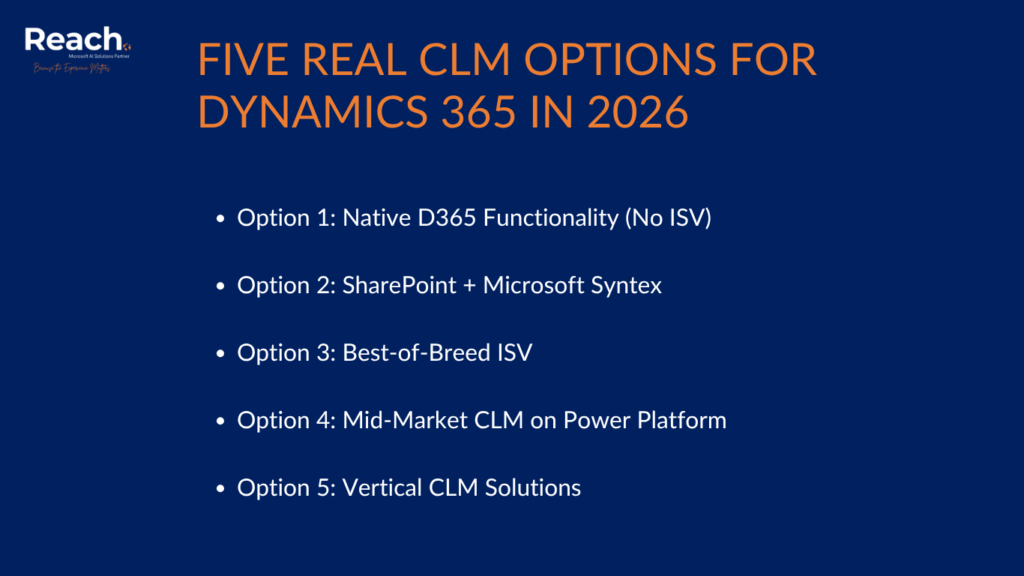
The Five Real CLM Options for Dynamics 365 in 2026
Option 1: Native D365 Functionality (No ISV)
Out of the box, Dynamics 365 Finance and SCM offer Purchase Agreements, Trade Agreements, and the Asset Leasing module for IFRS 16 and ASC 842 compliance. Sales has basic quote-to-contract flows. These cover committed-quantity procurement and financial obligations reasonably well.
What they do not cover: clause libraries, redlining, external collaboration, obligation tracking beyond PO fulfillment, and any contract type outside the procurement or leasing context.
Best fit: Organizations with simple, transactional contract portfolios who need D365 procurement compliance more than legal contract governance.
SharePoint contract management has been the default for a decade, and Microsoft Syntex (now part of Microsoft 365 Copilot) adds genuine intelligence: document understanding models that extract parties, dates, and key terms; content assembly for template-based authoring; and Power Automate workflows for approvals.
The 2026 version of this stack is meaningfully better than it was in 2023. Syntex can train models on your specific contract types, tag obligations, and surface metadata in SharePoint lists that Power BI can report against. The Microsoft 365 Copilot layer can now summarize contracts and answer questions against the repository.
Gaps remain: no purpose-built redlining environment, no counterparty portal, limited obligation lifecycle management, and dependency on Power Platform for anything resembling a workflow. For legal teams accustomed to Word-based negotiation, the experience is workable but not sophisticated.
Best fit: Mid-market organizations already invested in Microsoft 365, with moderate contract volumes and internal (not counterparty-heavy) negotiation processes.
Option 3: Best-of-Breed ISV
Microsoft Dynamics 365 in order to meet the needs of organizations that need more comprehensive CLM, provides a common integration framework that lets you integrate with an external CLM system natively.
Icertis Dynamics 365 integration is the enterprise gold standard. Icertis Contract Intelligence (ICI) is a purpose-built CLM platform with deep D365 Finance and SCM connectors, a full clause library and obligation management engine, AI-powered risk scoring, and counterparty portals. The Icertis and Microsoft partnership is strategic: ICI is available in Azure Marketplace, co-sell eligible, and increasingly surfaced through Microsoft’s field.
DocuSign CLM Dynamics 365 integration covers the agreement cloud beyond e-signature. DocuSign CLM (formerly SpringCM) handles document generation, negotiation workflows, and repository management, with connector packages for D365 Sales and Finance. The strength is the DocuSign network effect: if your counterparties already use DocuSign, onboarding them to a negotiation workflow is low friction.
Conga CLM rounds out the enterprise tier. Conga’s strength is revenue lifecycle management: connecting CPQ, contract authoring, and obligation management in one platform. Its D365 Sales connector is mature, and Conga’s AI layer (Conga Intelligence) extracts obligation and risk data from legacy paper contracts.
Best fit: Enterprise organizations ($500M+ revenue) with high contract volumes, complex negotiation cycles, counterparty portals, or cross-border regulatory obligations.
Option 4: Mid-Market CLM on Power Platform
A growing category of ISVs has built CLM solutions natively on Power Platform and Dataverse, including Contract Logix, Agiloft (with a Dataverse connector), and several AppSource-listed apps. These solutions sit inside the Microsoft ecosystem, inherit Copilot capabilities, and price at a fraction of enterprise ISV cost.
The trade-off is capability depth. Mid-market CLMs typically cover authoring, approval routing, e-signature integration, and repository well. Advanced redlining environments, counterparty portals, and AI-driven obligation extraction vary significantly by vendor.
Power Platform CLM built in-house is also a realistic option for organizations with mature Power Platform competency. A combination of Power Apps (request and approval UI), SharePoint (repository), Power Automate (workflow), and Syntex (AI extraction) can cover 80% of CLM requirements for a fraction of ISV cost, with the 20% gap being counterparty collaboration and enterprise redlining.
Best fit: Mid-market organizations ($50M to $500M revenue) with internal IT capability, moderate negotiation complexity, and a preference for staying within the Microsoft licensing envelope.
Option 5: Vertical CLM Solutions
Certain industries have purpose-built CLM tools that embed regulatory and contract-type requirements. Examples include Ironclad (technology and SaaS companies), Evisort (AI-first contract analytics), and Coupa Contract (for procurement-centric organizations already on Coupa).
These are worth evaluating if your contract portfolio is dominated by a single type (software subscriptions, real estate, or complex procurement) and your D365 instance is not the center of gravity for contract data.
Best fit: Organizations where industry-specific contract requirements outweigh the value of D365 integration.
Bottom line: There is no universal right answer. The decision is a function of contract volume, negotiation complexity, counterparty profile, and how central D365 is to your operating model.
Decision Framework: CLM Scorecard for D365 Customers
| Criteria | Native D365 | SharePoint + Syntex | Icertis / DocuSign / Conga | Mid-Market / Power Platform | Vertical CLM |
| Authoring and templates | Limited | Moderate (Syntex) | Full | Moderate to Full | Full |
| Redlining and negotiation | None | Basic (Word) | Full | Basic to Moderate | Full |
| Counterparty portal | None | None | Yes | Rare | Some |
| Obligation tracking | Procurement only | Manual / limited | Full | Moderate | Varies |
| D365 data integration | Native | Connector required | Deep connector | Native (Dataverse) | API required |
| Copilot / AI readiness | Native | Native | Partner integration | Native | API dependent |
| Implementation complexity | Low | Low to Medium | High | Medium | Medium |
Bottom line: Map your top three unmet CLM pain points to this table before talking to any vendor.
Implementation Pitfalls to Avoid
<!– Internal anchor: #clm-implementation-pitfalls –>
Starting with the tool, not the process. Every failed CLM implementation begins with a software selection. Successful ones begin with a documented contract request-to-obligation process. If your legal team does not have a defined intake workflow today, the CLM tool will inherit your chaos.
Underestimating the contract repository migration. The backlog of unsigned PDFs, scanned paper, and emailed Word documents is always larger than anyone estimates. Budget for it explicitly, and use AI extraction tools to structure metadata rather than manual data entry.
Ignoring counterparty experience. If your counterparties cannot negotiate in your CLM environment, they will email redlines in Word, and your workflow breaks. Evaluate counterparty portal usability as a primary criterion, not an afterthought.
Treating e-signature as CLM. DocuSign eSign, Adobe Sign, and Microsoft’s built-in eSign capability are execution tools. They do not manage the nine stages of the contract lifecycle. Conflating the two leads to an “implementation” that solves one stage and declares victory.
Skipping financial dimension mapping. For D365 Finance customers, every contract must map to the correct legal entity, cost center, and project dimension. This mapping exercise is unglamorous and frequently deferred, but it is the difference between a CLM that feeds your financial reports and one that creates a parallel data silo.
Bottom line: CLM implementations fail at the people and process layer far more often than at the technology layer.
How AI and Copilot Change the 2026 Decision
The contract AI Copilot landscape has shifted substantially in the past eighteen months. Three developments are directly relevant to D365 customers.
Microsoft 365 Copilot in Word can now summarize a contract, identify key dates and parties, and flag clauses that differ from a baseline template, without any CLM software. For organizations with moderate contract complexity and strong M365 adoption, this closes a meaningful gap that previously required a dedicated CLM tool.
Microsoft Syntex contracts processing now supports custom extraction models trained on your specific contract vocabulary. A model trained on your NDA portfolio can extract confidentiality periods, governing law, and party names at scale, feeding structured metadata into SharePoint lists or Dataverse tables that D365 workflows can act on.
ISV AI layers from Icertis (ICI AI), Conga (Conga Intelligence), and Evisort now offer risk scoring, obligation extraction from legacy contracts, and benchmarking against market-standard terms. For enterprise organizations negotiating hundreds of contracts per year, these capabilities generate measurable legal cost reduction and risk mitigation.
The 2026 question is not whether AI belongs in your CLM strategy. It does. The question is whether you need a dedicated AI-powered CLM platform, or whether the Microsoft-native AI stack is sufficient for your contract portfolio’s complexity.
A useful heuristic: if your legal team spends more than 20% of their time reviewing contracts for risk rather than negotiating terms, a purpose-built contract AI layer will pay for itself. If the bottleneck is process and workflow rather than review, Microsoft-native AI plus better process governance is likely the higher-ROI path.
Bottom line: Copilot and Syntex have genuinely raised the floor of what is achievable without a dedicated CLM ISV; they have not yet raised the ceiling.
Pragmatic Recommendations by Company Profile
You are a $50M to $150M business running D365 Finance or Business Central, with fewer than 200 contracts under active management. Start with SharePoint + Syntex + Power Automate. Build structured intake, approval routing, and a metadata-rich repository. Add Syntex document processing for extraction. Use Microsoft 365 Copilot for review assistance. Revisit ISV options at 500+ contracts or when counterparty negotiation volume justifies the investment.
You are a $150M to $500M business with D365 Sales and Finance, a legal team of five to ten, and growing contract complexity. Evaluate mid-market ISVs on AppSource (Dataverse-native preferred) alongside a structured Power Platform build. Require a counterparty portal in any ISV evaluation. Allocate budget for backlog migration. Expect a 90 to 120 day implementation with the right partner.
You are a $500M+ enterprise with D365 as your ERP backbone, complex vendor and customer contracts, and regulatory obligations across multiple jurisdictions. Issue an RFP to Icertis, DocuSign CLM, and Conga. Require demonstrated D365 Finance connector depth, not just API documentation. Evaluate each vendor’s Copilot integration roadmap explicitly. Budget 12 to 18 months for full implementation and expect year-one total cost (licensing plus services) to exceed $500,000.
You are a professional services firm on D365 Project Operations with revenue driven by statement-of-work contracts. Your highest-value CLM investment is obligation and milestone tracking connected to your project records. Evaluate Conga or a mid-market CLM with Project Operations connector support. Alternatively, a well-architected Power Platform solution built on Dataverse can serve this use case cost-effectively.
Bottom line: Match the CLM investment to the revenue and risk exposure of the contracts you are managing, not to the sophistication of the technology available.
Conclusion: The Right Question to Ask Before You Buy
The organizations that get CLM right do not start with a vendor comparison. They start with a revenue and risk audit: Which contracts are expiring unreviewed? Where are we over-paying because we cannot enforce agreed pricing? Where are we under-billing because obligations are not tracked? What would change if every contract were structured, searchable, and connected to D365?
When you can answer those questions with data, the technology decision becomes straightforward.

Marketing and Sales Lead at Reach
Dan Kosanovic is a Market Leader and Dynamics 365 Expert at Reach International with extensive experience in strategic business development and client relationship management. He specializes in developing innovative marketing strategies that drive brand visibility and revenue growth. Dan successfully manages complex projects while leveraging cutting-edge technologies to optimize business processes. Dan is passionate about exploring new opportunities to help organizations improve their systems and processes through strategic partnerships and technological innovation.
Frequently Asked Questions
Dynamics 365 Finance and SCM include Purchase Agreements, Trade Agreements, and Asset Leasing for IFRS 16 compliance. These cover committed-quantity procurement and lease obligations but do not constitute a full contract lifecycle management solution. Stages including authoring, redlining, counterparty collaboration, and obligation tracking beyond procurement require additional tooling.
E-signature (DocuSign eSign, Adobe Sign, Microsoft eSign) covers stage 5 of the nine-stage CLM lifecycle: execution. CLM covers the full cycle from contract request through obligation management and renewal. Treating e-signature as CLM leaves stages 1 to 4 and 6 to 9 unmanaged, which is where most revenue leakage occurs.
Icertis Contract Intelligence (ICI) provides deep connectors to D365 Finance and SCM, enabling contract data to flow bidirectionally with vendor master records, purchase orders, and financial dimensions. The integration supports contract-linked PO creation, obligation-to-invoice reconciliation, and commitment reporting within D365. Icertis is available through Azure Marketplace and is a Microsoft co-sell partner.
SharePoint with Microsoft Syntex can handle repository management, metadata extraction, approval workflows via Power Automate, and AI-assisted review through Microsoft 365 Copilot. It is a viable solution for organizations with moderate contract volumes and primarily internal negotiation processes. It does not replace purpose-built CLM for organizations with high-volume external negotiation, counterparty portal requirements, or complex obligation management.
Microsoft 365 Copilot in Word can summarize contracts, identify key dates and parties, and flag non-standard clauses. Microsoft Syntex can train document understanding models to extract structured metadata from contracts at scale. Copilot in D365 can surface obligation and renewal data within Finance and SCM workflows. These capabilities are available within the Microsoft license stack and do not require a third-party CLM ISV.
Obligation management is the active tracking of what each party is required to do under a contract: payment milestones, deliverable deadlines, insurance certificate renewals, SLA performance thresholds, and notice periods. Without it, organizations routinely miss auto-renewal windows, fail to enforce SLA credits, and breach their own obligations without awareness. It is consistently the most underleveraged stage of the nine-stage CLM lifecycle.
Range varies significantly by option: SharePoint + Syntex can be operational in 30 to 60 days for a focused scope. Mid-market ISV implementations typically run 60 to 120 days. Enterprise ISVs such as Icertis, DocuSign CLM, and Conga typically require 6 months, depending on contract volume, migration complexity, and organizational change management.