
Introduction: you cannot implement what is not released
You cannot implement what is not released. But you can decide what has to be true for your fleet.
On 9 December 2025, Microsoft said it is building rental into Dynamics 365 (see Transforming how organizations run rental operations with Dynamics 365 ERP). It is now in public preview, and general availability is expected in 2027. For companies that already run Dynamics 365 and rent out equipment, this raises a real question: do we wait for native rental, or do we go with what exists today?
Many teams answer “let’s wait and see”. That feels safe. Often it means months with no progress.
The problem: waiting is also a decision
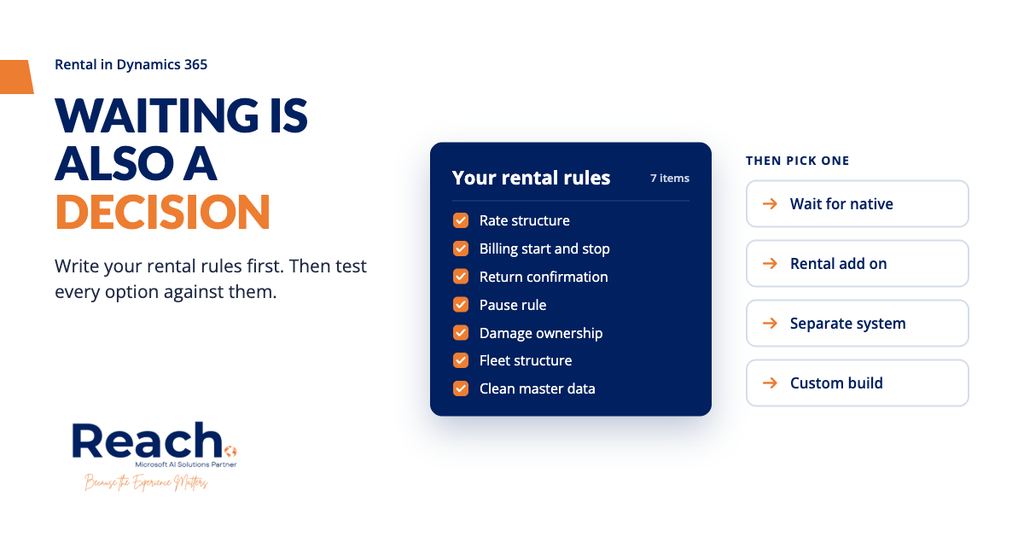
The question is often asked as native or add-on. In practice, there are four options on the table:
- Wait for a native rental from Microsoft, and keep today’s process running
- Use a rental add-on from an ISV, built on Dynamics 365
- Keep or buy a separate rental system, and integrate it with Dynamics 365
- Build custom rental on Dynamics 365.
Each one can be right. Each one has a cost. The problem is that many teams compare products before they agree on their own rules. Then every demo looks good, and no decision gets made.
The solution, part 1: how to decide
The table below shows when each option fits best, and what to watch out for.
| Option | Fits best when | Watch out for |
| Wait for native | Rental is a smaller part of the business, and today’s process works well enough | The depth and fit are not public yet, and the timeline is not yours |
| Rental add on for Dynamics 365 | Rental is core, you need deep rental features now, and you want one system with finance | License cost, keeping pace with Microsoft updates, future overlap with native features |
| Separate system with integration | You already have a mature rental system that works across many branches | Two sources of truth, integration cost, and reconciliation between systems |
| Custom build | Your process is so special that no product covers it | Cost to build and maintain, knowledge held by a few people, future overlap with native features |
Four questions usually decide it:
- How big is rental in your revenue today, and in three years?
- How complex is your billing? Hours allowed, overtime, 28 day cycles, rent to own?
- What can wait? What breaks if you run today’s process for another twelve months?
- How many systems must rental talk to? Telematics, maintenance, transport, a customer portal, finance?
The solution, part 2: what to do while you wait
Whatever you choose, you will need the same answers. Write these seven things down now:
- Your rate structure. Day, week, month or a 28 day cycle. Hours allowed per period. The overtime rule. Minimum charges
- When billing starts and stops. At delivery or at dispatch. At the call off, at pickup, or when the machine is back in the yard
- Who confirms a return, and how. By phone, email, driver or portal, and who records it in the system
- Your pause rule. What happens on weather days or when a site closes, and whether it is in the contract
- Who owns damage. What is checked at delivery and return, what proof you keep, and who decides who pays
- Your fleet structure. Rental classes, which items you track one by one and which you count, and how attachments work
- Your data. Clean serial numbers, manufacturers, meter readings and the link to fixed assets. Bad master data will hurt every option.
None of this needs new software. All of it makes the next software project faster and easier.
Results: what you get from doing this now
- A short list of rules you can use to test any option in a demo
- A faster project when you start, because the business decisions are already made
- Clean data that can move to any system
- Finance, operations, and IT agree before money is spent.
Call to action: write your rules before you choose
Waiting is fine. Waiting with nothing written down is not. If you run Dynamics 365 and rent out equipment, Reach can help you write these rules and test the options against them.
This is the last of four articles on rental in Dynamics 365. Read the full series: What Microsoft has announced for rental in Dynamics 365, Rental is not an inventory problem, and Where rental revenue leaks.

Stop rebuilding your rental rules by hand.
Reach can help you get your fleet ready for rental in Dynamics 365 governed, tested, and production ready before the release.
It depends on how important rental is to your business. If rental is a small share of revenue and your current process works, waiting can make sense. If rental is core and you need deep features now, an add on or a separate system may serve you better. Either way, write down your rental rules first so you can compare options fairly.
In December 2025, Microsoft said it plans to release rental in Dynamics 365 in the fourth quarter of 2026. Full details on depth and fit are still limited, so plan with that in mind and check Microsoft’s latest release plans before you decide.
There are four: wait for native rental, use a rental add on from an ISV, keep or buy a separate rental system and connect it to Dynamics 365, or build a custom rental solution. Each has its own costs and risks, which the comparison table in this article sets out.
Start with seven areas: your rate structure, when billing starts and stops, how returns are confirmed, your pause rule, who owns damage, your fleet structure, and the quality of your data. None of this needs new software, and every option will need these answers.
No. Waiting is a valid choice. The risk is waiting without any preparation. If you use the time to agree on your rules and clean your data, your project will move faster, whichever option you pick.

Alek is a Senior Dynamics 365 F&O Consultant at Reach, helping businesses get more value from their ERP systems. His work spans three core areas: Manufacturing, Master Planning (MRP), and Asset Management. He brings experience from multiple rollouts and implementations across automotive, mining and drilling, and high tech industries.