
Introduction
The administration of Microsoft Dynamics 365 Finance & Supply Chain Management (F&SCM) and dynamics 365 finance and operations is undergoing a major transformation. Microsoft is retiring Lifecycle Services (LCS) and consolidating environment management into the Power Platform Admin Center (PPAC). By the end of 2025, PPAC will be the single hub for provisioning, managing, and automating all Dynamics 365 and Power Platform environments.
Why Is Microsoft Making This Change?
Microsoft’s vision is clear: One Admin, One Admin Center. The transition from LCS to PPAC brings several key benefits:
- Unified Administration: Manage all environments—Finance, Supply Chain, Power Apps, CRM, and more—in one modern portal
- Better Governance: Apply consistent security, compliance, and licensing policies across all apps
- Automation & DevOps: Leverage robust APIs, PowerShell, CLI, and connectors for lifecycle management and CI/CD pipelines
- Futureproofing: All new features and support will be PPAC-only, ensuring you’re aligned with Microsoft’s roadmap.
What Are LCS and PPAC?
Lifecycle Services (LCS): The legacy portal for managing Finance & Operations environments—deploying sandboxes, applying updates, and handling support.
Power Platform Admin Center (PPAC): A unified admin experience for all Dynamics 365 and Power Platform components. Finance & Operations environments now live alongside Dataverse, Power Apps, and CRM in one interface.
Key Features of PPAC
- Single Admin Portal: Manage both low-code and business applications from one place
- Unified Environment Lifecycle: Provision, copy, backup, restore, and delete environments with ease
- Capacity-Based Model: Create environments on demand, with no fixed limits—just ensure you have sufficient Dataverse and Operations database capacity
- Programmability at Scale: Automate management using PowerShell, PAC CLI, REST APIs, and Power Automate connectors
- Service-Level Administrators: Assign granular admin roles via Microsoft Entra/M365 Admin Center
- Templates & Licensing: Deploy environments using ERP-based templates, with built-in support for add-ins like Copilot for Finance.
The Migration Approach: Four Phases
- Assessment & Planning: Inventory all environments, confirm Dataverse integration and region alignment, plan downtime and take backups
- Provisioning: Create a unified PPAC environment, enable the Finance & Operations app, configure settings and assign admin roles
- Migration Execution: Use Microsoft’s automated Copy Environment – Everything feature for full lift-and-shift
- Validation & Cutover: Test data and processes, reconnect integrations and update pipelines, train admins and decommission LCS.
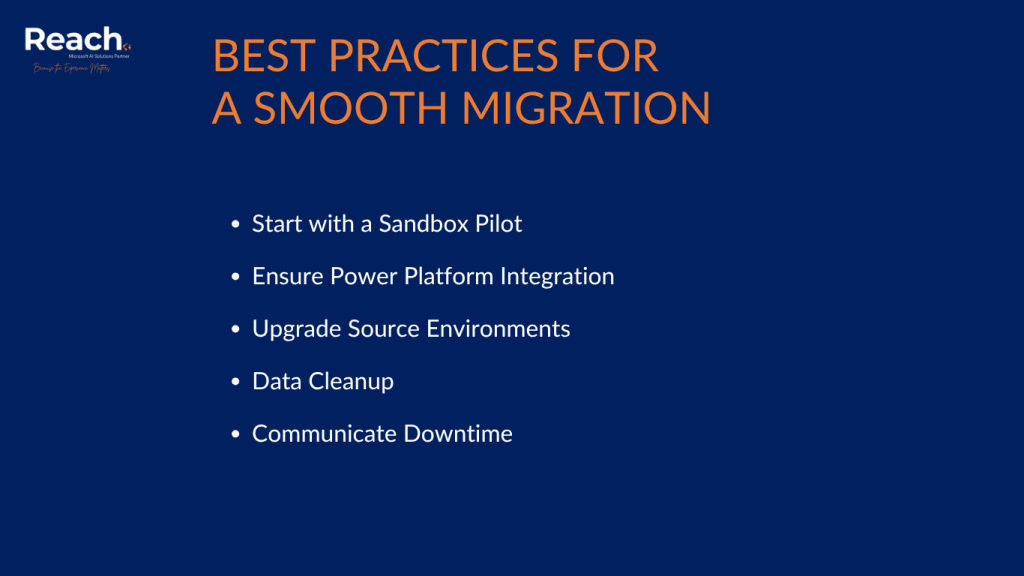
Best Practices for a Smooth Migration
- Start with a Sandbox Pilot: Validate the migration process before moving to production
- Ensure Power Platform Integration: Confirm region alignment and integration readiness
- Upgrade Source Environments: Always migrate from the latest version
- Data Cleanup: Consider transaction-less copies for non-production environments to reduce storage and improve performance
- Communicate Downtime: Keep stakeholders informed and provide post-migration training.
PPAC vs. LCS: Key Differences
| LCS Term | PPAC Equivalent |
| Project | Not Applicable (FastTrack Portal) |
| Finance & Operations Environment | Finance & Operations App |
| Project Owner Role | Power Platform Administrator Role |
| Asset Library | Not Applicable (Use Azure DevOps) |
| Software Deployable Package | Unified Package |
| Database Refresh | Environment Copy |
| Maintenance Mode | Admin Mode |
| Partner Account as Admin | Granular delegated privileges |
| Issue Search | Known Issues |
| BPM | Not Applicable (TBD) |
| Environment Monitoring | App Insights |
How to Provision and Manage Environments in PPAC
Provisioning a New Environment:
- Go to PPAC and create a new environment
- Add a Dataverse data store and enable Dynamics 365 apps
- Select the appropriate security group
- Install Dynamics 365 Finance and Operations Platform Tools and Provisioning App
- Enable Developer Tools and Demo Data as needed
- Select the product version to install.

Expanded Technical Details from Unified Admin Experience
- Assign Service-Level Administrators: Managed in Entra/M365. Roles include Dynamics 365 Administrator and Power Platform Administrator with capabilities like managing trials, sandboxes, production environments, tenant settings, governance policies, and billing
- Licenses and Templates: Every environment includes Dataverse, low-code apps, flows, and AI chatbot capabilities. Finance, SCM, Project Operations, and Commerce licenses allow installing Finance and Operations app. Add-ins like Copilot for Finance are available
- Capacity-Based Model: Deploy environments on demand with no fixed limits, provided at least 1 GB of Dataverse and 1 GB of Operations DB capacity is available
- Programmability at Scale: Automate using PowerShell, PAC CLI, REST APIs, and connectors. Service Principal authentication is supported for secure automation
- Environment Copy: PPAC copies both code and database, unlike LCS which only copied data. Supports DevOps automation and minimal setup
- Transaction-less Copy: Reduces storage by up to 90% for non-production environments. Use PowerShell scripts and validate source/target region alignment
- Backup, Restore, Delete: System backups for production (28 days) and sandbox (7 days). Manual backups and restores via PPAC UI. Delete environments to recover storage; URL reuse after 24 hours
- App Management: Install Finance & Operations app on Dataverse environment via PPAC UI. Enable Developer Tools and Demo Data as needed. Service updates managed through PPAC with operation history logs
- Maintenance Mode: Required for license configuration changes; only admins or maintenance mode users can sign in during this mode.
Why Partner with Reach International?
Migrating from LCS to PPAC is more than a technical step—it’s a strategic move to align with Microsoft’s roadmap and unlock new capabilities. Our team combines hands-on experience, Microsoft-backed best practices, and a proven methodology to make this transition seamless.
Ready to future-proof your Dynamics 365 environment?
Contact us today to start planning your migration.