
Running a nonprofit means juggling a lot at once. You track grants, manage donors, report to funders, pay staff, and still try to focus on the mission that matters most. For many organizations, the tools meant to support this work end up slowing it down instead. Spreadsheets multiply. Systems don’t talk to each other. Reports take days to pull together instead of minutes.
This is why more organizations are choosing Microsoft Dynamics 365 Business Central for nonprofits, a cloud based ERP system built to bring finance, operations, and reporting into one place. In this post, we will walk through what is driving this shift, what the system actually offers, and how to think about whether it is the right move for your organization.
The Problem with Legacy Systems
Many nonprofits still rely on older systems like Microsoft Dynamics GP, or a mix of accounting software and Excel. These tools got the job done for years, but they come with real limits, and those limits tend to grow over time rather than shrink.
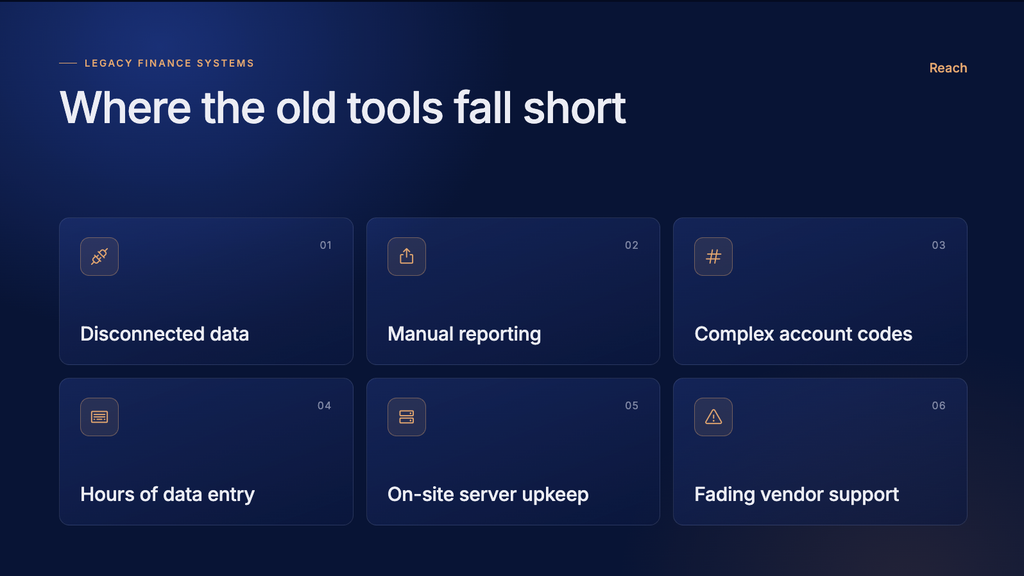
- Data lives in separate systems that don’t sync automatically, so staff spend time reentering the same information more than once
- Reports require manual exports and reformatting before anyone can use them
- Grant and fund tracking often depends on complicated account codes that only one or two people fully understand
- Staff spend hours on data entry instead of analysis, planning, or program support
- On site servers need maintenance, upgrades, and IT support, which adds cost and risk
- Vendor support for older systems is often winding down, leaving organizations without a long-term plan.
Over time, these small frictions add up. Staff lose confidence in their numbers, board members wait longer for reports, and leadership makes decisions with information that is already out of date by the time it reaches them. None of this happens because staff are not capable. It happens because the tools were not built for how nonprofits actually operate today.
Why Dynamics 365 Business Central for Nonprofits
Business Central was designed as a true cloud system, meaning it updates automatically and connects naturally with tools your team may already use, like Microsoft Teams, Outlook, and Excel. For nonprofits, a few features stand out.
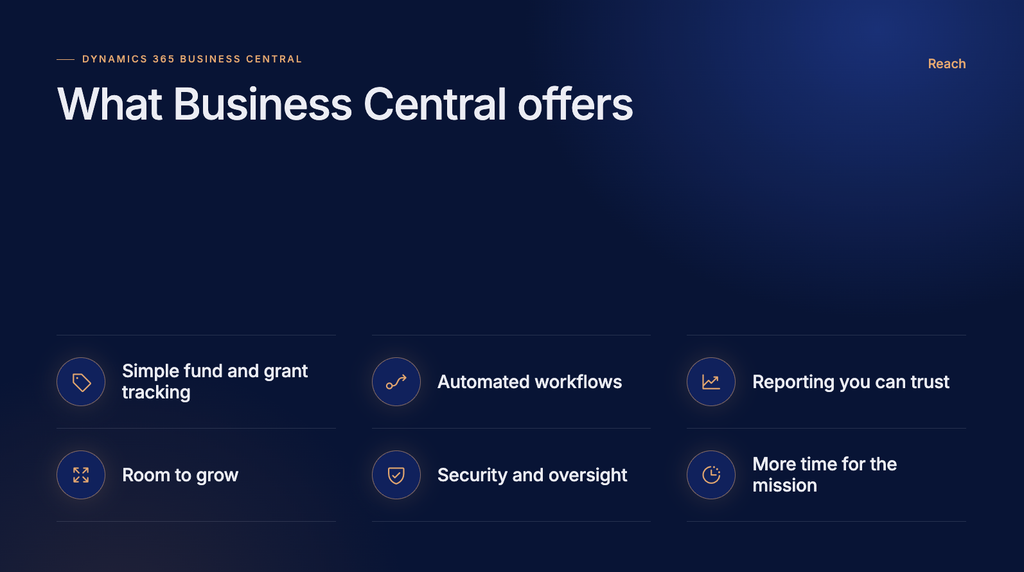
Fund and grant tracking made simple. Instead of building complex account codes for every program or grant, Business Central uses flexible tags called Dimensions. You can tag a transaction by program, funding source, or grant, then pull reports that slice the data any way you need, without duplicating your chart of accounts. This is especially helpful for organizations managing many small grants at once, since new funding sources can be added without redesigning the whole accounting structure.
Automated workflows. Expense approvals, invoice processing, and journal entries can move through the system automatically, with clear approval steps built in. Instead of routing paper forms or waiting on email chains, staff can see exactly where a request sits in the approval process and act on it right away. This cuts down on delays and gives finance leaders better visibility into what is happening across the organization.
Reporting you can trust. Because all your data lives in one place, reports reflect what is actually happening in close to real time. Built in dashboards and integration with Power BI give finance teams and program managers the same accurate picture at the same time, rather than everyone working from a slightly different version of the numbers. This makes board meetings, funder check-ins, and internal planning sessions far less stressful.
Room to grow. As your organization adds programs, staff, or funding sources, Business Central scales with you. There is no need to replace the system later because you have outgrown it, and there is no need to keep buying extra servers or storage as your data grows. Updates roll out automatically in the background, so your team is always working with the latest version of the tools.
Stronger security and oversight. Role based permissions, audit trails, and segregation of duties help nonprofits meet the expectations of funders, auditors, and boards without extra manual tracking. Every change to a record, every approval, and every login can be traced, which matters a great deal when your organization is subject to grant audits or compliance reviews.
Better use of staff time. Perhaps the most important benefit is the least visible one. When a system removes hours of manual work each week, that time goes back to your team. Program staff can spend more time supporting the people you serve. Finance staff can spend more time on forecasting and strategy instead of chasing down numbers.
Not a One Size Fits All Answer
Business Central is a strong foundation, but every nonprofit has different needs. Some organizations need deep grant compliance tools. Others need to integrate payroll, ticketing, case management, or donor systems. The good news is that Business Central has a wide ecosystem of add-on solutions built specifically for nonprofits, so the platform can be shaped around your organization rather than the other way around.
This also means the size of the project can vary quite a bit. A small nonprofit with straightforward finances might need a fairly simple setup. A larger organization managing many grants, multiple entities, or complex compliance requirements will need more planning up front, including decisions about dimensions, workflows, and which outside systems need to connect to the ERP.
Common Questions Nonprofits Ask
Will this be too complicated for our team? Business Central is built with a modern, familiar interface, and most staff who are comfortable with Excel or Outlook find it approachable after training. The bigger factor in a smooth transition is usually change management, not the software itself.
How long does an implementation take? This depends on the size and complexity of your organization, but most nonprofit implementations move in phases, starting with core finance functions before adding budgeting, grant tracking, or integrations.
What happens to our historical data? A good implementation plan includes a clear approach to migrating historical account balances, transactions, and other key records, so your organization does not lose access to its financial history during the move.

Stop letting outdated systems hold your finance team back.
Reach can help you go live fast with Rapid Business Central Implementation.
Getting Started
If your team is spending more time managing systems than serving your mission, it may be time for a change. The first step is usually simple: take stock of where your current process breaks down, whether that is grant reporting, payroll, or month end close, and use that as the starting point for what a new system needs to solve.
Reach works with nonprofits across sectors, including human services, arts organizations, and government adjacent agencies, to plan and support this kind of transition. If you are exploring whether Business Central is the right fit for your organization, we are happy to talk through what that could look like.