
Executive Summary
Professional services firms, project-centric manufacturers, and consulting organizations all share a common challenge: the tools they use to sell work, staff it, track time against it, and close the books rarely speak to each other. Spreadsheets bridge gaps. Finance runs a separate close process. Resource managers live in email.
Microsoft Dynamics 365 Project Operations (D365 PO) was built to close that loop. Released as a standalone product in 2020 and maturing rapidly since, it connects the full project lifecycle, from pre-sales estimation through delivery and invoicing, in a single, Dataverse-native platform that sits alongside Dynamics 365 Sales, Business Central (BC), and Finance & Supply Chain Management (F&SCM).
This guide covers what Project Operations actually does, how it fits your existing Microsoft stack, how it differs from the project capabilities already inside BC and F&SCM, and the practices that separate smooth deployments from expensive re-implementations.
1. What Is Dynamics 365 Project Operations?
At its core, D365 Project Operations is a Professional Services Automation (PSA) platform. The term PSA refers to a category of software designed specifically for businesses that sell time and expertise: IT consultancies, engineering firms, marketing agencies, managed service providers, and any organization where the primary deliverable is professional labor rather than a physical product.
Project Operations is built on Microsoft Dataverse (the same data platform powering Dynamics 365 Sales and Customer Service), which means it shares contacts, accounts, and opportunity data natively with your Dynamics environment. There is no middleware sync to maintain between your sales pipeline and your delivery capacity.
Core Functional Areas
- Sales & Estimation: Opportunity-linked project quotes, work breakdown structures (WBS), role-based pricing, and deal modeling before a contract is signed
- Resource Management: A scheduling board for assigning named or generic resources, skills-based search, availability forecasting, and subcontractor management
- Project Planning & Execution: Task hierarchies, effort and duration tracking, dependency management, and real-time project health indicators
- Time & Expense: Mobile-friendly time entry tied to project tasks, multi-level approval workflows, and policy enforcement
- Project Accounting & Invoicing: Billing rules, revenue recognition, actuals posting, and integration to BC or F&SCM for the financial close.
Key insight: Project Operations is not just a scheduling tool. It is the connective tissue between your pre-sales pipeline, delivery capacity, and financial close. Organizations that deploy it as only a time-tracking replacement capture less than half the available value.
2. Who Should Consider Project Operations?
Project Operations is purpose-built for project-centric businesses. Below are the industry profiles where it delivers the highest return:
IT Implementation & Consulting Firms
Organizations that implement Microsoft Dynamics, Azure, or other enterprise platforms for clients operate in exactly the environment D365 PO was designed for. The sales cycle involves custom estimates, the delivery model is milestone and resource intensive, and the invoicing process must reconcile approved timesheets against contracted billing rates. The native CRM integration means the same platform used to track an opportunity can be used to estimate, staff, and invoice the resulting engagement, without data re-entry.
Managed Service Providers (MSPs)
MSPs managing multiple client environments face the dual challenge of project work (implementations, upgrades, migrations) alongside recurring service delivery. Project Operations handles both through its flexible billing model, supporting fixed price, time and materials, and retainer contracts within the same platform.
Engineering & Professional Services
Firms in architecture, engineering, and construction (AEC), environmental consulting, or product development find that Project Operations handles the complexity of multi-phase projects, multi-discipline resource pools, and cost-plus billing that generic project tools cannot. The subcontractor management capability: assigning vendor-linked resources and tracking their time separately from employees is particularly valuable in these environments.
Software & Technology Companies
Product companies that also deliver implementation or customization services, or that operate a professional services arm alongside a software business, benefit from the unified view of customer relationship, project delivery, and revenue that Project Operations provides.
If your organization bills clients for time, manages a pool of skilled resources across concurrent projects, and needs to connect pre-sales estimates to post-delivery actuals, Project Operations is worth looking at.
3. What McKinsey and Gartner Say About Fragmented Delivery and Finance Systems
Industry data reinforces why fragmented project delivery, and finance stacks consistently underperform. McKinsey research shows that most organizations realize less than one‑third of the expected value from digital transformation initiatives, largely due to disconnected systems, poor data integration, and weak execution discipline—especially across finance and operations.
Gartner reaches a similar conclusion in its analysis of Professional Services Automation platforms, emphasizing that firms achieve materially better margin visibility, forecasting accuracy, and utilization control when PSA, CRM, and ERP are tightly integrated rather than operated as standalone tools.
This is exactly where Reach delivers value: by implementing Dynamics 365 Project Operations in the right architecture alongside Business Central for mid‑market financial control or Finance & Supply Chain Management for enterprise‑grade project accounting, Reach helps organizations close the execution gap between selling work, delivering it, and recognizing revenue. The result is not just better project visibility, but a measurable improvement in utilization, forecast reliability, and financial confidence—outcomes that spreadsheets and loosely coupled systems consistently fail to deliver.
4. How Project Operations Differs from BC and F&SCM Project Modules
This is the question we hear most often from organizations already using Microsoft financials. Both Business Central and Finance & Supply Chain Management include project related functionality. Understanding where those modules end and where Project Operations begins is essential for making the right architectural decision.
Business Central: Projects Module
BC‘s Jobs module (rebranded as Projects in recent releases) is designed for straightforward project cost tracking and billing within a small to mid market ERP context. It handles:
- Project budgets and actual cost posting
- WIP (Work in Progress) accounting
- Simple time entries linked to project tasks
- Fixed price and time and materials invoicing.
What it does not handle well: resource scheduling across a workforce, skills-based resource matching, multi-stage approval workflows, pre-sales estimating connected to CRM, or the schedule board visibility needed to manage 50+ concurrent resources across 20+ projects. BC Projects is sufficient for a boutique firm running 3 to concurrent engagements with simple resourcing needs. It starts to show strain at scale.
F&SCM: Project Management & Accounting
The Project Management and Accounting (PMA) module in Finance & Supply Chain Management is significantly more powerful than BC Projects, and is genuinely suitable for large, complex project environments, particularly in government contracting, capital project management, and project-based manufacturing. It offers:
- Advanced project cost control and revenue recognition (percentage of completion, completed contract)
- Multi-company and intercompany project billing
- Integration with procurement, inventory, and fixed assets
- Detailed budget control and commitment accounting.
The tradeoff: PMA is an accounting-centric module. It is powerful for the finance team and demanding for everyone else. Resource scheduling, time entry user experience, and CRM integration are not its strengths. Many F&SCM customers use PMA for project accounting while running a separate PSA tool – which is exactly the integration gap Project Operations is designed to close.
The Comparison at a Glance
| Capability | BC Projects | F&SCM PMA |
| Pre-sales estimation (CRM-linked) | No | No |
| Skills-based resource scheduling | No | No |
| Schedule board (visual dispatch) | No | No |
| Subcontractor resource management | Limited | Limited |
| Mobile time entry & approvals | Basic | Basic |
| Revenue recognition (multiple methods) | Basic | Advanced |
| Multi-company / intercompany | Limited | Yes |
| Native CRM integration (Dataverse) | No | No |
| Procurement & inventory integration | Yes | Yes |
| Target organization size | SMB | Enterprise |
The right answer is often a combination: Project Operations for project delivery and resource management, plus BC or F&SCM for the financial close. Microsoft has published integration documentation for both. The architecture decision depends on your financial complexity, existing ERP investment, and team size.
5. Resource Management: The Core Differentiator
If there is one area where Project Operations separates itself from every adjacent option in the Microsoft stack, it is resource management. This is where the platform earns its PSA designation.
Resource Types and the Vendor Model
Project Operations supports multiple resource types: named users, generic placeholders, equipment, and external contacts. The important distinction for services firms is the employee vs. subcontractor model. Subcontractors are configured with a vendor association, which drives separate cost tracking and allows billing rule differentiation between your own staff and contracted labor. This is not an afterthought, it reflects how professional services firms actually operate.
Characteristics: Skills, Roles, and Ratings
Each resource can carry a set of characteristics: skills, certifications, and role qualifications with proficiency ratings. These characteristics feed the availability search engine. When a project manager creates a resource requirement (e.g., “I need a senior developer for 40 hours next month”), the system can match against the characteristics of available resources and surface ranked candidates. This replaces the spreadsheet and email dance that resource managers know too well.
Roles are particularly important from a financial perspective. Pricing in Project Operations is configured at the role level, meaning a ‘Senior Developer’ and a ‘Junior Developer’ carry different bill rates and cost rates regardless of which individual fills the assignment. This allows you to build estimates against roles, then book named resources later – a workflow that mirrors how most services firms actually sell and staff work.
Working Hours and Calendars
Each resource has a working hours template that defines their available capacity. These templates drive the schedule board and the availability forecasting engine. Time off entries, public holidays, and part-time schedules are all reflected in the capacity model. For organizations managing resources across multiple time zones or geographies, this matters significantly – overbooking a resource because the system did not account for a regional holiday is a solvable problem with proper configuration.
The Schedule Board
The schedule board is the visual dispatch center of Project Operations. It presents resource availability and current bookings in a Gantt-style layout, color-coded by utilization. Resource managers can drag and drop bookings, extend or shorten assignments, and view both hard bookings (confirmed assignments) and soft bookings (tentative holds) simultaneously. The board can be filtered by skill, role, geography, or any other characteristic.
There is also a shadow board view for resources who need to appear on planning tools without being individually schedulable, which is useful for senior leadership or part-time contributors. The ‘enable for availability search’ toggle controls whether a resource appears as a candidate when the system is asked to find capacity for a requirement.
Best Practice: Define your resource characteristics, roles, and working hour templates during implementation, not after go-live. The quality of your scheduling board and availability search is directly proportional to the completeness of this configuration. Generic placeholders (‘Developer TBD’) can be used during early project planning and replaced with named bookings as assignments are confirmed.
6. Scheduling, Bookings, and Forecasting
The operational workflow in Project Operations moves through three connected concepts: requirements, bookings, and forecasting. Understanding how these interact is essential for getting value from the scheduling capability.
Requirements
A resource requirement is a demand-side record: “This project needs someone with these skills, in this role, for this duration.” Requirements can be created manually by project managers or generated automatically from the work breakdown structure when tasks are assigned to generic resources. They live in the system as unfulfilled demand until a booking is made.
The ‘find availability’ function on a requirement is where the skills-matching engine runs. It evaluates the requirement’s characteristics against the resource pool and returns a ranked list of candidates with their available hours in the requested window. The project manager can then book directly from this view.
Bookings
A booking is the supply-side record: a specific resource committed to a specific project for a specific time window. Bookings are visible on the schedule board and reduce the available capacity shown for that resource across all other projects. The distinction between hard and soft bookings matters operationally: a hard booking is a commitment; a soft booking is a hold that other project managers can see and factor into their planning.
All bookings are queryable through standard Dataverse views, which means finance and operations leadership can build Power BI reports against booking data directly showing.0 forecast utilization by role, by resource, by project, or by period.
Forecasting
Forecasting in Project Operations operates at two levels. At the resource level, capacity planning reports show hours booked vs. hours available across a rolling window, the raw material for utilization management. At the project level, cost and revenue forecasts are derived from bookings and billing rules, giving finance teams an earned value view that updates as the project progresses.
For organizations moving from spreadsheet-based forecasting, the shift to system-generated forecasts is often the highest-value change in the entire implementation. A single source of truth for resource utilization, project cost, and expected revenue, updated in real time as bookings change, replaces a weekly spreadsheet reconciliation cycle.
Microsoft reference: The official Project Operations documentation on resource scheduling and forecasting is available at learn.microsoft.com/dynamics365/project-operations. The resource management section covers requirement creation, booking modes, and the reconciliation view in detail.
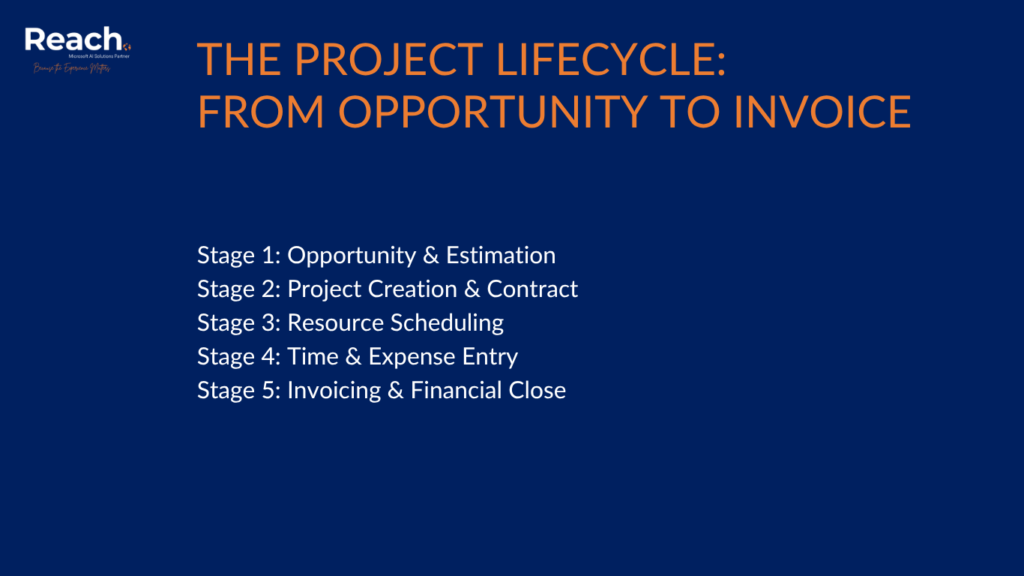
7. The Project Lifecycle: From Opportunity to Invoice
One of the most compelling arguments for Project Operations, particularly for firms already using Dynamics 365 Sales, is the native continuity from pre-sales to delivery. Here is how a typical engagement flows through the platform:
Stage 1: Opportunity & Estimation
An opportunity in D365 Sales (or the CRM component of Project Operations) reaches a stage where the team wants to model the delivery. A project quote is created and linked to the opportunity. Within the quote, a work breakdown structure is defined with roles, estimated hours, and associated bill rates. This produces a margin model that the sales team and delivery leadership can review before committing.
This stage is optional: organizations that manage estimates externally or have simpler sales motions can bypass the quote process and create projects directly. However, for firms where deal modeling is an important part of the sales process, having estimates live in the same system as delivery is a material improvement over Word documents and Excel models emailed back and forth.
Stage 2: Project Creation & Contract
When the opportunity is won, the quote converts to a project contract and a project is created. The work breakdown structure from the estimation phase becomes the project plan, carrying forward the effort estimates and role assignments. Billing rules on the contract define how and when the client will be invoiced: milestone-based, time and materials, or a combination.
Stage 3: Resource Scheduling
With the project plan in place, resource requirements are generated and bookings are made through the schedule board. This is where the estimation to delivery handoff happens: the roles planned during the sales process are now staffed with named resources, and their capacity is reflected in the utilization model for the entire organization.
Stage 4: Time & Expense Entry
Team members log time against project tasks through the web or mobile interface. Time entries carry the task, project, date, and duration. Expense reports are submitted with receipts. Both flow through configurable approval workflows, typically a project manager approves time before it becomes an actual cost and revenue recognition event.
The approval workflow is a control point that matters to finance: unapproved time does not post. This means the finance team has confidence that what they see in project actuals has been reviewed by a manager, not just entered by a team member.
Stage 5: Invoicing & Financial Close
Approved time and expenses, combined with milestone completions, drive the billing queue. Project invoices are generated against the contract billing rules and reviewed before being finalized. In a BC-integrated deployment, invoice posting flows into BC Accounts Receivable. In an F&SCM deployment, it flows into Finance module AR. Either way, the project actuals and the financial actuals are in agreement without manual reconciliation.
For organizations currently using QuickBooks or a standalone accounting system alongside a PSA tool, this integration is one of the primary upgrade motivators. The manual export-import cycle between time tracking and invoicing is a known risk point for errors and revenue leakage.
8. Deployment Models: Lite, Resource/Non-Stocked, and Stocked
Project Operations ships in three deployment configurations. The right choice depends on your existing ERP infrastructure and financial complexity:
Lite Deployment
The Lite deployment runs entirely within Dataverse without a separate ERP back-end. It includes the full CRM, resource management, time and expense, and project planning functionality, but financial posting goes to a simplified billing and invoicing module rather than a full general ledger. This is the right starting point for organizations that use a third-party accounting system (QuickBooks, Xero, Sage) and want to integrate via API or data export rather than native connector.
Resource/Non-Stocked (BC Integration)
This deployment model integrates Project Operations with Business Central for the financial back-end. Project actuals post to BC, invoices are created and collected in BC AR, and cost accounting runs through BC’s chart of accounts. This is the recommended architecture for mid-market firms that are fully or primarily in the Microsoft ecosystem and do not require the advanced financial capabilities of F&SCM.
Stocked/Production Order (F&SCM Integration)
The F&SCM integration is the enterprise-grade deployment, appropriate for organizations with complex financial requirements: multiple legal entities, intercompany billing, sophisticated revenue recognition, or inventory-consuming project activities. The F&SCM PMA module handles project accounting; Project Operations handles resource management, scheduling, and time entry. The two systems share project and resource data through Dual-Write.
Choosing the wrong deployment model is the most common cause of expensive re-implementations. If your organization is growing and expects to reach F&SCM complexity within three years, it is worth building toward that architecture from the start rather than migrating later.
9. Best Practices for a Successful Deployment
Based on implementations across consulting, MSP, and professional services environments, the following practices consistently separate successful go-lives from troubled ones:
1. Complete Your Resource Master Data Before Go-Live
The schedule board, availability search, and utilization reporting are only as good as the resource configuration behind them. Define your resource types, assign working hour templates, configure skills and role characteristics, and link subcontractors to their vendor records before users begin booking. Starting with incomplete resource data means every booking entered early will need to be revisited.
2. Align on Billing Rules Before Building Project Templates
Project contract billing rules (fixed fee, time and materials, milestone) drive the invoicing engine. If your sales team and finance team have not aligned on the standard billing models you offer clients, this will surface as a configuration conflict during implementation. Resolve it in discovery, not during UAT.
3. Use Generic Resources in Estimation, Named Resources in Booking
The workflow that matches how services firms actually sell and staff work: estimate against roles (Senior Developer, Solution Architect), then book named resources when the project is confirmed. This preserves margin modeling accuracy while allowing flexibility in staffing. Trying to name resources for every estimate is a process that most organizations cannot sustain.
4. Invest in Approval Workflow Design
The time and expense approval workflow is a control that finance depends on. Design it with the right approvers (project managers, not just admins), reasonable time windows (weekly submission deadlines), and clear escalation paths for late submissions. An approval workflow that is too complex will be bypassed; one that is too loose will create audit risk.
5. Plan Your Power BI Reporting Strategy Before Go-Live
Project Operations generates rich data on resource utilization, project cost, revenue forecasts, and booking status. None of this value is captured without a reporting layer. Define the 4 to 6 executive dashboards your leadership team needs (utilization by role, project margin by client, revenue forecast vs. actuals) and build them into the project scope – not as a Phase 2 afterthought.
6. Do Not Skip the Subcontractor Configuration
If your delivery model relies on any contracted labor, the vendor-linked resource configuration is not optional. Subcontractor time tracked without the vendor association cannot be reconciled against vendor invoices automatically. Set it up correctly at the start.
7. Establish a Change Management Plan for Time Entry
The most common adoption failure in PSA implementations is not technical, it is cultural. Team members who are accustomed to submitting time weekly in a separate system, or not at all, need clear communication about expectations, deadlines, and the business reasons behind the change. Organizations that treat the time entry rollout as a training event (one webinar, done) consistently underperform against utilization targets in the first 90 days.
10. Project Operations and the AI Agent Layer
Microsoft’s roadmap for Dynamics 365 is increasingly shaped by the Copilot and agent framework introduced across the platform. Project Operations is no exception. Current and near-term AI capabilities include:
- Copilot-assisted project plan generation from a natural language brief
- Risk identification based on schedule and resource data patterns
- Automated status report drafting pulled from project actuals
- Resource recommendation refinement using historical performance data.
For organizations building toward a broader AI agent strategy on the Microsoft platform, Project Operations is the operational data source for any agent operating in the project delivery space. The richness of the data model tasks, bookings, actuals, approvals, and contracts makes it a strong foundation for agentic workflows that go beyond what a standalone time tracking tool can support.
Microsoft’s Agent 365 framework, announced as part of the 2025 wave releases, positions agents as first class objects within Dynamics 365 applications. Project Operations is explicitly included in that roadmap. Organizations evaluating the platform today should factor in not just the current feature set but the agent ready data architecture it establishes.
11. Common Questions from IT Leaders, Project Managers, and Finance
“We already use Dynamics 365 Sales. How much overlap is there?”
The CRM foundation is shared: accounts, contacts, and opportunities are the same records. Project Operations adds the quote to project workflow, resource management, and delivery execution on top of the same Dataverse environment. There is no duplicate data and no sync to maintain. If you are on Dynamics 365 Sales today, Project Operations is an additive module, not a replacement.
“Can we keep QuickBooks for our financial close?”
Yes, using the Lite deployment model. Project Operations in Lite mode handles everything through approved time and expense; invoice data can be exported or connected via API to QuickBooks for the accounting close. This is a common architecture for mid-market professional services firms that are not ready to move their financials to BC or F&SCM. It is also a viable interim state while planning a broader Microsoft ERP migration.
“Our main pain point is resource overbooking. Will this fix that?”
It will give you the visibility and tooling to address it, but the fix requires process discipline as well as software. The schedule board and availability search make overbooking visible before it happens. The booking vs. requirement reconciliation view shows gaps and conflicts. These are the tools; the practice of actually checking availability before committing resources to clients is the process that has to change.
“How long does a typical implementation take?”
A focused Lite deployment covering resource management, time and expense, and basic project tracking runs 10-14 weeks for a firm in the 50-200 person range. A full BC integrated deployment with billing rules, approval workflows, and Power BI reporting adds 4-8 weeks. F&SCM integration with complex multi-entity requirements should be scoped at 20-30 weeks. These ranges assume clean master data and available stakeholder time, both of which tend to be optimistic assumptions.
“What is the licensing model?”
Project Operations uses a named user model with three license tiers: Team Member (time and expense entry only), Project (full delivery and resource management), and Project Operations Premium (full suite including project accounting). Pricing is per user per month and is available through the Microsoft volume licensing portal. For current pricing, consult a Microsoft licensing specialist or the Microsoft Product Terms site, as rates are updated periodically.
Conclusion: The Case for a Unified Project Platform
The question for most professional services organizations is not whether to consolidate their project delivery tooling, it is when and into what. Fragmented stacks of time trackers, scheduling spreadsheets, and standalone invoicing tools carry a cost that is easy to underestimate: revenue leakage from unbilled time, resource conflicts from poor visibility, and strategic blindness from disconnected data.
Dynamics 365 Project Operations addresses that fragmentation with a platform that is native to the Microsoft ecosystem, scalable from mid-market to enterprise, and built with the AI agent layer already in view. For organizations already invested in Dynamics 365 Sales, Business Central, or Finance & Supply Chain Management, it is the natural next layer, not a rip and replace, but a connection of what you already have.
The firms that get the most value are not those with the most complex requirements. They are the ones who enter the implementation with clear process alignment, complete resource master data, and a leadership commitment to making time entry a business discipline rather than an afterthought.
Ready to assess whether Project Operations is the right fit for your delivery model? Our team has hands-on experience implementing PSA solutions across IT services, engineering, and managed services environments. We help organizations evaluate architecture options, scope realistic implementations, and avoid the configuration decisions that cause expensive rework.
References & Further Reading
- Microsoft Learn – Dynamics 365 Project Operations documentation: learn.microsoft.com/dynamics365/project-operations
- Microsoft – Project Operations Deployment Types overview: learn.microsoft.com/dynamics365/project-operations/deployment-types
- Microsoft – Resource Management in Project Operations: learn.microsoft.com/dynamics365/project-operations/resource-management
- Microsoft – Dynamics 365 Release Plans (Project Operations): learn.microsoft.com/dynamics365/release-plans
This article was prepared by an implementation team specializing in Microsoft Dynamics 365 solutions.