
Microsoft is moving decisively from generic AI assistance toward configurable, process-driven AI agents in Dynamics 365—and this shift fundamentally changes how sales, service, and finance teams scale without increasing headcount.
This article is based on insights Nikola Tejic shared during a Reach Knowledge Sharing Session, following a Microsoft Dynamics Agents bootcamp in Redmond. What we saw there confirms a clear strategic direction: AI in Dynamics is no longer about answering questions—it’s about running processes.
The Economic Case for AI Agents
The industry transition from “assistant” to “agent” is not just a marketing rebrand; it is a fundamental shift in enterprise architecture. According to Gartner, the market is at a clear inflection point: by the end of 2026, 40% of enterprise applications will feature task-specific AI agents, up from less than 5% in 2025.
Furthermore, research from the McKinsey Global Institute underscores why these matters: the real productivity unlock does not come from layering a chatbot onto legacy processes, but from reimagining workflows so that people and agents each do what they do best. McKinsey notes that organizations that meaningfully embrace this process-level integration see labor productivity grow nearly 4.8 times faster than those that merely deploy AI as a surface-level tool. The goal is to move beyond experimentation; firms that successfully navigate this shift are finding that agents are not just saving time—they are becoming profit centers that reclaim thousands of hours previously lost to manual coordination.
The Shift Explained: From Copilot to Agents
Microsoft’s AI journey in Dynamics began with Copilot. Copilot still exists, is still free with Dynamics licensing, and continues to be useful for summarization, guidance, and ad-hoc questions.
However, Copilot was never designed to own workflows.
That gap is exactly why agents exist.
Where Copilot Reaches Its Limits
Copilot works well when you:
- Ask for answers grounded in CRM or ERP data
- Need quick summaries or guidance
- Want AI assistance embedded in the UI.
But Copilot struggles when you want AI to:
- Monitor leads continuously
- Execute multi-step processes
- Take autonomous action across systems
- Escalate issues based on defined rules.
This limitation was consistently echoed by customers and partners—including at Dynamics community events in Chicago.
Microsoft listened.
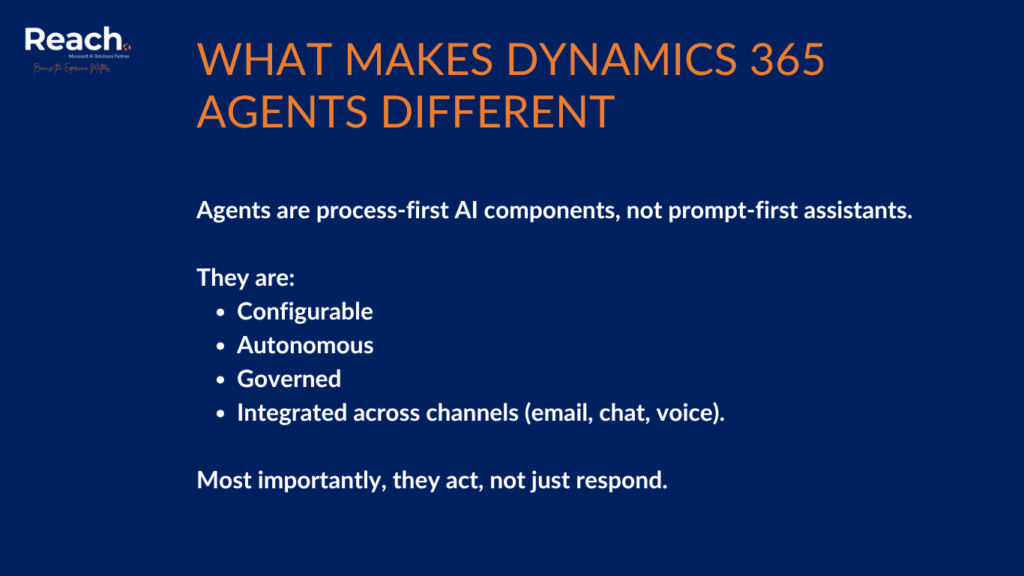
What Makes Dynamics 365 Agents Different
Agents are process-first AI components, not prompt-first assistants.
They are:
- Configurable
- Autonomous
- Governed
- Integrated across channels (email, chat, voice).
Most importantly, they act, not just respond.
Key Characteristics of Dynamics 365 Agents
- Run continuously in the background
- Follow defined handoff and escalation rules
- Combine CRM data with external intelligence
- Operate across hundreds of interactions in parallel
- Support human oversight by design.
Agents still feel like Copilot when you interact with them—but architecturally, they are something else entirely.
Sales Agents: Automating What Sales Teams Don’t Scale Well
During the session, we walked through three active Dynamics 365 Sales agents already available today.
1. Sales Qualification Agent
This agent fully automates early-stage lead engagement.
It:
- Qualifies leads based on admin-defined criteria
- Researches companies and contacts using CRM and web data
- Personalizes outreach emails using industry context
- Handles back-and-forth Q&A with prospects
- Hands off only when qualification thresholds are met.
What matters most here is governance: Admins define:
- Which leads qualify
- When a human seller takes over
- Who supervises the agent
- What knowledge sources it can use.
From a Reach perspective, this is where agent strategy and setup expertise becomes critical. Without the right qualification logic, personalization rules, and handoff design, clients won’t see real value.
2. Sales Close Agent
If qualification is about scale, closing is about focus.
The Sales Close Agent:
- Continuously scans the pipeline
- Identifies risk signals early
- Recommends next best actions
- Can autonomously complete straightforward deals
- Escalates complex cases to sellers with context.
This agent is especially powerful for organizations with long pipelines and limited sales capacity—exactly the scenarios Reach often sees in enterprise Dynamics Sales deployments.
3. Sales Research Agent
This agent changes how sales leaders work with data.
Instead of exporting reports or switching tools, you:
- Ask questions in natural language
- Let the agent assemble a research plan
- Receive insights, visuals, and suggested actions in seconds.
It doesn’t just surface metrics—it connects insights across CRM and external data sources. Reach helps customers determine which data sources make sense and how to govern them safely.
Customer Service Agents: Reducing Load While Improving Quality
Service agents stood out during hands-on labs because they solve a universal problem: service teams are overloaded, and knowledge bases go stale.
Dynamics 365 now includes multiple service-focused agents working together.
What the Service Agent Ecosystem Does
- Automatically creates and updates cases
- Learns customer intent from real conversations
- Drafts and maintains knowledge articles autonomously
- Assists human reps with contextual prompts
- Closes cases and generates wrap-up notes
- Evaluates quality and suggests coaching improvements.
One particularly impactful agent is the Customer Knowledge Management Agent, which:
- Detects gaps in knowledge
- Drafts new articles
- Updates outdated content
- Routes drafts for human approval.
From Reach’s experience, this directly addresses one of the biggest blockers to effective AI-driven service: bad or outdated knowledge bases.
Consumption Is the New Model—and That Changes Everything
One of the most important takeaways from the session is commercial, not technical.
Agents themselves often ship “free,” but:
- You pay for what they consume
- No consumption plan = no agent execution.
This creates:
- A strong incentive to deploy AI with intent
- A new optimization challenge for customers
- A significant opportunity for partners.
Reach’s role increasingly includes:
- Designing efficient agent architectures
- Measuring value vs. consumption
- Ensuring AI investments scale responsibly.
Key Takeaways from the Reach Knowledge Sharing Session
Strategic Takeaways
- Microsoft will continue investing heavily in Dynamics 365 agents
- Finance and operations scenarios are likely next
- AI value is shifting toward execution, not interaction.
For Delivery Teams
- Start with small, focused agent POCs
- Replace manual processes where agents already exist
- Treat configuration as product design, not setup.
For Pre-Sales Teams
- Agent demos leave a strong impression when done right
- Position agents as process enablers, not AI gimmicks
- Align agent value directly to business outcomes.
How Reach Enables Dynamics 365 AI Agents
Reach helps organizations move beyond experimentation into real, governed AI execution by:
- Assessing process readiness for agents
- Designing agent-enabled workflows
- Configuring Dynamics 365 sales and service agents
- Governing AI behavior, escalation, and handoffs
- Optimizing Azure consumption
- Training teams to work effectively with AI, not around it.
We don’t just “turn agents on”—we make them useful, safe, and scalable.
Ready to Enable Agents the Right Way?
Dynamics 365 is entering a new phase—one where AI doesn’t just assist work, it does the work.
If you’re exploring AI agents or want to turn existing Dynamics 365 investments into real operational leverage, Reach can help you design, implement, and govern AI agents that deliver measurable value.
Contact Reach to start your Dynamics 365 AI and agent enablement journey.
Ready to stop managing tasks and start driving outcomes?
Talk to our Experts and see how we implement high-impact AI agents tailored to your Dynamics 365 environment.
Copilot assists users on demand. Agents execute processes continuously and autonomously based on configuration.
Yes. Sales and service agents are already live and usable.
No. Agents handle scale and routine work, while humans focus on judgment, relationships, and complex cases.
Agents require an AI consumption plan. Usage is billed based on consumption, not per-agent licensing.
Yes. Configuration is a core strength—but it requires experience to do well.