
Yes. Dynamics 365 Business Central (BC) is uniquely future-proof because it has transitioned from a standalone accounting tool into an “intelligent hub.” Its longevity isn’t just about current features; it’s about its native integration with the Microsoft ecosystem, allowing it to serve as the high-quality data foundation required for AI and autonomous agents to function.
Unlike legacy ERPs that trap data in silos, Business Central integrations is built to share context. By leveraging the Power Platform and Azure AI, BC allows organizations to automate complex workflows without heavy custom coding. This architectural flexibility ensures that as AI evolves, your ERP evolves with it, rather than becoming a technical debt liability.
To remain viable, an ERP must handle the “Three Vs” of modern data: Volume, Velocity, and Value. Business Central excels here by utilizing a unified data schema (Dataverse) that makes financial information instantly readable for AI tools like Copilot, ensuring your business stays ahead of the automation curve.
Why ERP Decisions Are Changing
For IT managers and business leaders evaluating Dynamics 365 Business Central, the ERP decision is no longer just about replacing a legacy system. It is about selecting a platform that will remain viable as automation and AI reshape how work gets done.
Business Central increasingly operates as part of a broader Microsoft ecosystem that includes Microsoft 365, Power Platform, analytics, and emerging AI capabilities. This matters because AI does not operate inside ERP tables alone—it depends on context across systems, processes, and data domains.
This article explores how Business Central aligns with modern, context-aware integration principles and what decision makers should consider to ensure their ERP investment remains relevant as AI becomes a core participant in financial and operational workflows.

Business Central in an AI-Driven World
Business Central already sits inside a broader Microsoft ecosystem that includes Microsoft 365, Power Platform, Azure, and Copilot experiences. This matters because AI does not live inside ERP tables alone—it depends on context across systems:
- Financial and operational data from ERP
- Customer and pipeline data from CRM
- Documents, emails, and collaboration signals from Microsoft 365
- External data from partners, banks, logistics providers, and regulators.
MCP principles help explain how these systems will work together more intelligently over time.
The AI Readiness Gap: By the Numbers
Recent industry shifts highlight why the transition to a context-aware ERP like Business Central is no longer optional:
| Metric | Impact on ERP Strategy |
| 80% | The percentage of repetitive manual tasks in finance that Gartner predicts will be automated by 2025. |
| 3.5x | The increased likelihood of digital transformation success when companies use a unified data platform rather than siloed apps. |
| 60% | Reduction in custom code requirements for businesses using the Power Platform alongside Business Central. |
From Data Integration to Context Integration
Traditional Business Central Integrations
Most Business Central environments today rely on:
- API-based point-to-point integrations
- File-based imports and exports
- iPaaS tools for routing and transformation.
These approaches work, but they are largely data-centric. They move values, not meaning.
The Emerging Model: Context-Aware ERP
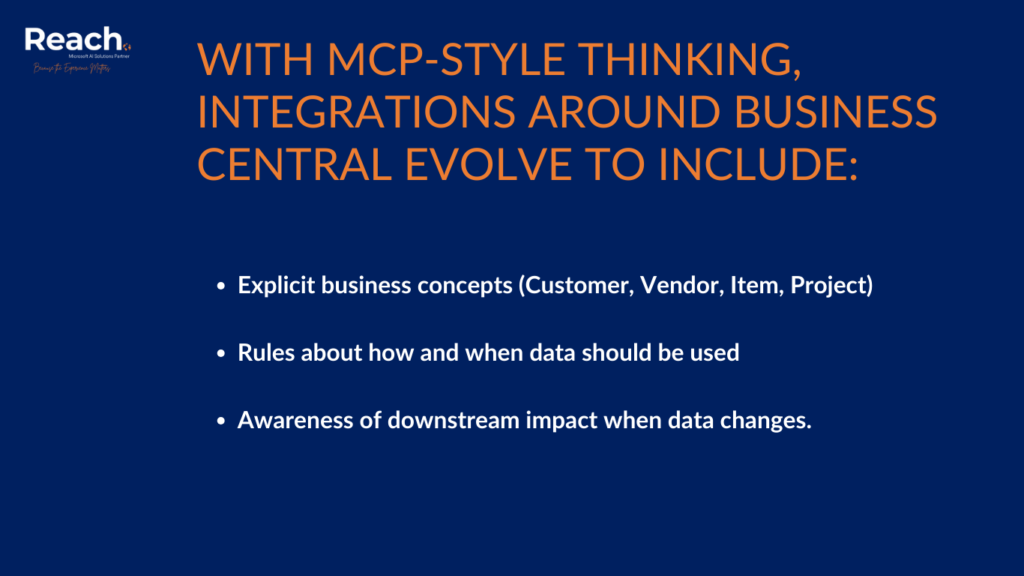
With MCP-style thinking, integrations around Business Central evolve to include:
- Explicit business concepts (Customer, Vendor, Item, Project)
- Rules about how and when data should be used
- Awareness of downstream impact when data changes.
For example, an AI-driven forecasting or cash-flow agent does not just read ledger entries—it understands why transactions exist and how they relate to operational reality.
How AI Will Actually Impact Business Central Users
1. AI as a Participant, Not a Feature
Future AI capabilities will not feel like isolated “ERP features.” Instead, AI will:
- Proactively surface risks and anomalies
- Recommend actions across finance, operations, and supply chain
- Automate routine decisions within defined guardrails.
This requires ERP data to be well-structured, governed, and contextualized.
2. Less Custom Code, More Intelligence
Historically, ERP value was extended through customizations. In an AI-driven model:
- Clean data models and clear integration contracts matter more than custom logic
- Extensions shift toward orchestration and validation
- Business Central becomes a reliable system of record feeding intelligent workflows.
3. Faster Change with Lower Risk
When integrations are context-aware:
- New AI use cases can be added without breaking existing processes
- Regulatory or business rule changes can be absorbed more quickly
- IT teams spend less time firefighting brittle integrations.

What This Means for ERP Decision Makers
When evaluating Business Central, decision makers should ask questions beyond the demo:
- How well does this ERP integrate with the broader Microsoft ecosystem?
- Can we clearly define and govern our master data?
- Are integrations designed for reuse and evolution, not one-off fixes?
- Will our architecture support AI agents safely interacting with core financial data?
Business Central scores well when it is implemented with these questions in mind—but it does require discipline.
Data Readiness Is the Real Differentiator
AI readiness is not primarily about buying AI features. It is about:
- Clear ownership of customers, vendors, items, and dimensions
- Consistent data definitions across systems
- Documented integration flows and dependencies.
Organizations that struggle with Business Central adoption often discover the issue is not the ERP itself, but the lack of a coherent data and integration strategy.
A Practical Path Forward for Business Central Customers
Step 1: Stabilize the Core
- Minimize unnecessary customizations
- Align chart of accounts, dimensions, and master data.
Step 2: Rationalize Integrations
- Reduce point-to-point dependencies
- Introduce standard patterns for events and APIs.
Step 3: Prepare for AI Participation
- Identify processes where AI recommendations would add value
- Define guardrails, approvals, and auditability
- Treat AI as a system user with defined responsibilities.
This approach allows Business Central to evolve without forcing disruptive re-implementations.
Looking Ahead: Business Central as an Intelligent Hub
Over the next several years, Business Central will increasingly act as:
- A trusted financial and operational backbone
- A provider of high-quality context to AI services
- A coordinator of intelligent, cross-system processes.
Organizations that implement Business Central with MCP-style integration thinking will be better positioned to adopt AI incrementally and safely—without betting the business on unproven technology.
Final Thoughts
Choosing an ERP today is a long-term architectural decision. Dynamics 365 Business Central can be a strong foundation for the future, but only when paired with modern integration and data practices. MCP principles provide a useful lens for evaluating whether your ERP environment is ready not just for today’s requirements, but for an AI-driven operating model that is already taking shape.
Why Reach is the Choice for the Next Decade
In today’s rapidly shifting landscape, Reach is at the forefront of the next generation of enterprise software by offering ERP solutions built on Model Context Protocol (MCP) principles. Unlike legacy systems that simply act as static databases, Reach provides a dynamic integration layer that allows your business data to be fully “AI-ready” from day one.

Principal at Reach
Radovan Miodragovic is a Dynamics 365 Technical Solution Architect and Team Lead in Reach with over 17 years of experience in delivering complex technical solutions. A solution-oriented leader, he specializes in the architectural design, development, and implementation of Microsoft Dynamics 365 for Finance and Operations, alongside expertise in Azure, Power Platform, and DevOps. Radovan holds a Master of Science in Electronics Engineering and carries an extensive list of industry credentials, including the Dynamics 365: Finance and Operations Apps Solution Architect Expert certification.
No. Because BC lives on Azure, it scales with your data. It uses the same underlying AI infrastructure as Microsoft’s largest enterprise tools.
No. Microsoft Copilot provides a “low-code/no-code” interface, allowing business users to use natural language to query data and automate tasks.
BC follows Microsoft’s “Responsible AI” principles. Your data is encrypted, and your specific business data is not used to train public AI models.
AI acts as an “autopilot,” handling data entry and anomaly detection. This allows your team to shift from “data processors” to “strategic advisors.”